Thailand Passport Photo: Official Size, Background & Requirements
Get a perfectly standard-compliant 35×45 mm Thailand passport reference photo — white background, neutral expression, face filling 70–80% of the frame.
This photo must be taken by an accredited service
For this document, Thailand does not accept a self-prepared photo. By law it must be captured on site by an authorised service and submitted electronically, so we cannot produce a submittable file for it. The official specification is shown below so you know exactly what to expect at your appointment.
This photo is captured on site — but we can make your Thailand photos online:
A document photo is a headache of its own
A Thailand Passport photo has strict requirements, and a mistake costs time and money. We’ll show you how to pass on the first try.
It gets rejected
Wrong size, background or cropping — and the system returns the application.
Expensive and slow
A trip to a photo studio means a queue, time and €7–12 for a reshoot.
Confusing requirements
Exact size, head height, light background, facial expression — easy to get wrong.
Redo it all over
Rejected — take another photo, pay and submit again. Round and round.
«Below are the exact requirements from the official source, so you arrive at your appointment prepared.»
Ordinary photo → ready for submission
We remove the background and clutter, set the framing and lighting — keeping your face without «beautifying».
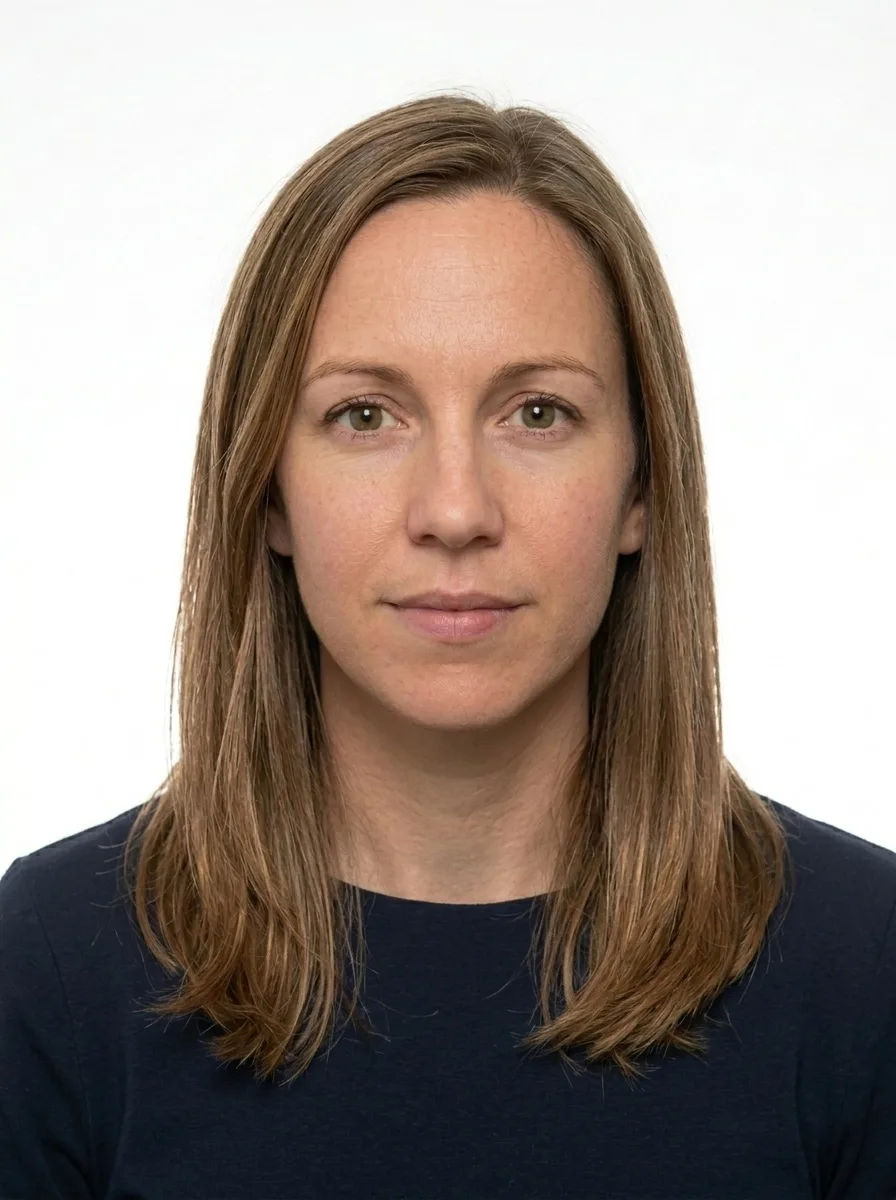
Your face stays yours — we do not change features, only the background, lighting and framing.
Your Passport photo: what matters
A compliant Thailand passport photo meets the biometric standard set by the Department of Provincial Administration (DOPA) and the Ministry of Foreign Affairs for Thai e-passports. The photo must measure 35×45 mm (413×531 px) with a pure white background (#FFFFFF), and the face must fill between 70 and 80 percent of the frame height. Getting every detail right before your appointment saves time and avoids unnecessary repeat visits.
Thai e-passports are issued exclusively in person at DOPA district offices or MFA consular posts abroad. At the appointment, a trained official captures the biometric facial image on-site using a digital camera against a white backdrop — so the passport photo is not something you submit yourself. However, the same 35×45 mm white-background specification applies to the equivalent reference standard, and having a correctly prepared photo helps you walk into the appointment knowing exactly how you should look and lets you reuse the same compliant image for Thai visa applications and other official documents that do accept submitted photos.
- Size: 35×45 mm (413×531 px at 300 dpi)
- Background: plain white (#FFFFFF), no shadows or gradients
- Face coverage: face height must fill 70–80% of the total frame height
- Expression: neutral, mouth closed, both eyes open and clearly visible
- Glasses: not permitted under any circumstances
- Headwear: permitted only for verified religious reasons; face must remain fully visible
- Recency: photo must have been taken within the last 6 months
- Focus and lighting: sharp, evenly lit, no harsh shadows across the face or background
- Common reasons photos are rejected for Thailand passport purposes:
- Coloured or off-white backgrounds — even a slightly cream or grey background fails the pure-white (#FFFFFF) requirement enforced by DOPA's biometric system
- Glasses worn in the photo — Thailand's biometric passport standard categorically prohibits spectacles, including thin-framed or clear lenses
- Face filling less than 70% or more than 80% of the frame height — the proportional face-coverage band is strict; a photo cropped too loosely or too tightly will be rejected at the biometric check
- Non-neutral expression — even a slight smile or parted lips does not meet DOPA's neutral-expression requirement for the biometric template
Use our service to produce a reference photo cropped automatically to the exact 35×45 mm DOPA/MFA standard — correct proportions, white background, and verified face coverage. A free watermarked preview is available before any payment, so you can confirm the result suits you. Your finished image is ready to print or present on screen, and it doubles as a compliant photo for Thai visas and any other application that accepts submitted passport-format photos.
What an accepted Passport photo looks like
Thailand · 35 × 45 mm. Tap any requirement to see what it means on a real photo.
- Size
- 35 × 45 mm · 413 × 531 px
- Background
- White plain
- Head in frame
- 70–80%
- Glasses
- Not allowed
- Facial expression
- Neutral, mouth closed
- Headwear
- Only for religious reasons
- File
- JPG · ≤ 2 MB
Print size is 35 × 45 mm and the digital file is 413 × 531 px.
Official requirements source: thaievisa.go.th, iamkohchang.com
Requirements verified: 09.2026
How to take a good photo
The most common reasons a Thailand Passport photo gets rejected — and how to avoid them. Compare good and bad shots.

1Format and freshness
A color photo taken no more than 6 months ago.

2Lighting and background
Even light with no shadows on the face; a plain light background, without glare.

3Head position
Face head-on, head centered, no tilt or turn.

4Facial expression
Neutral, mouth closed, eyes open and looking at the camera.

5Glasses and accessories
No glasses (especially sunglasses); eyes fully visible, without glare.

6Headwear
Only for religious reasons and not covering the face — the face fully visible.

7Clothing
Ordinary everyday clothes; no uniforms or face-covering clothing.
Common questions about Thailand Passport photos
How is the photo taken for a Thai passport?
What is the exact size of a Thailand passport photo?
What background colour is required for a Thai passport photo?
Can I wear glasses in my Thailand passport photo?
How much of the frame should my face fill in a Thai passport photo?
Can I use this reference photo for Thai visa applications?
Your photo is protected
A photo is personal data, so we handle it carefully and in line with GDPR. We process it only to prepare the document and delete it within clear deadlines.
- Only with consentWe process the photo only after your explicit consent before upload.
- Auto-deletionWe delete the source photo within a day, the ready file after 7 days.
- No sharing with third partiesYour photos are not sold or used to train any third-party systems.
- Deletion on requestYou can ask to delete your data at any time — with a single request.