Why Does a Passport Photo Background Get Rejected?
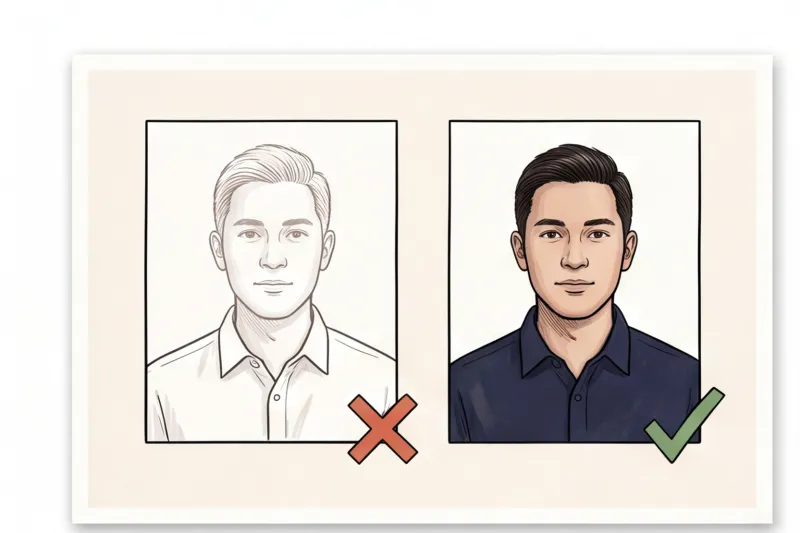
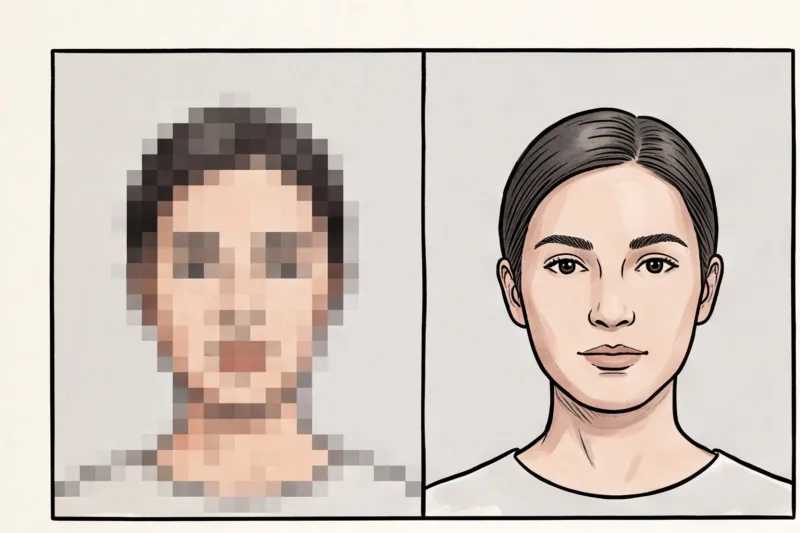
Having a passport photo background rejected is one of the most frequent causes for application delays, and it usually happens because the image fails automated system checks. An official passport photo is not a casual portrait; it is a strict piece of biometric data. Every pixel matters when authorities are verifying your identity.
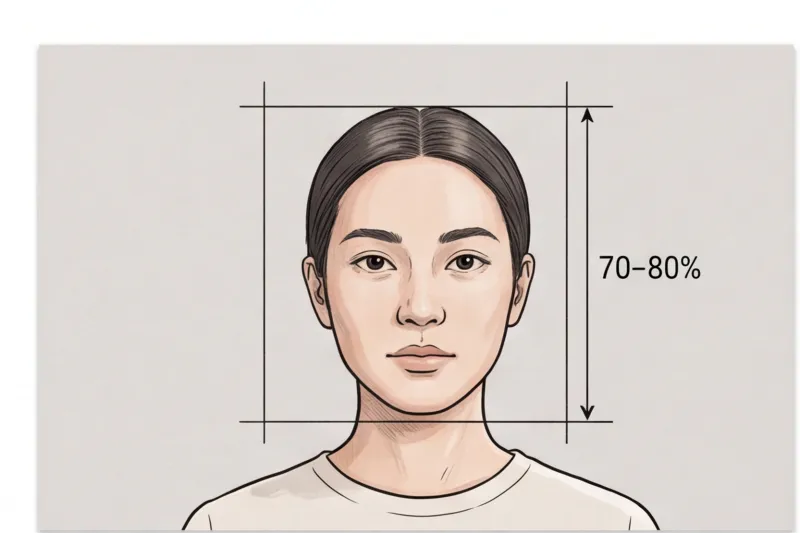
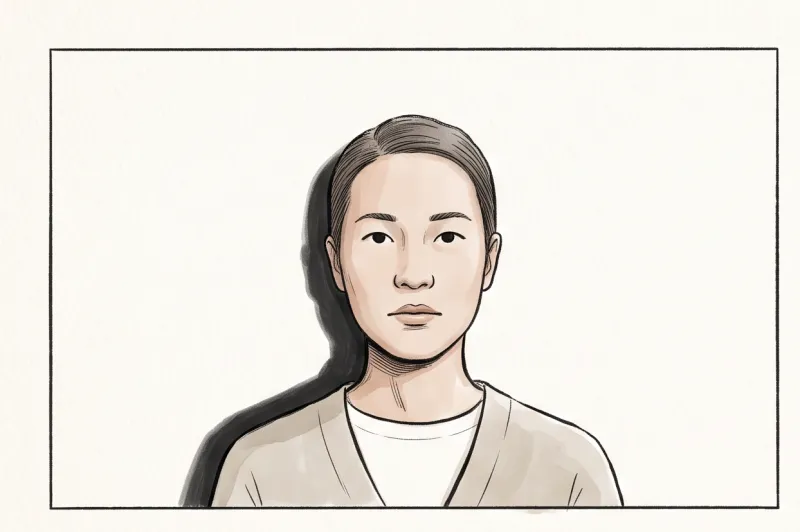
According to the international ICAO Doc 9303 standards — which dictate the biometric rules for most passports and ID cards globally — a document photo must provide high contrast between the applicant and the background. Facial recognition scanners rely heavily on this contrast. They need a completely plain canvas to accurately map the exact edge of your face, hair, and shoulders.
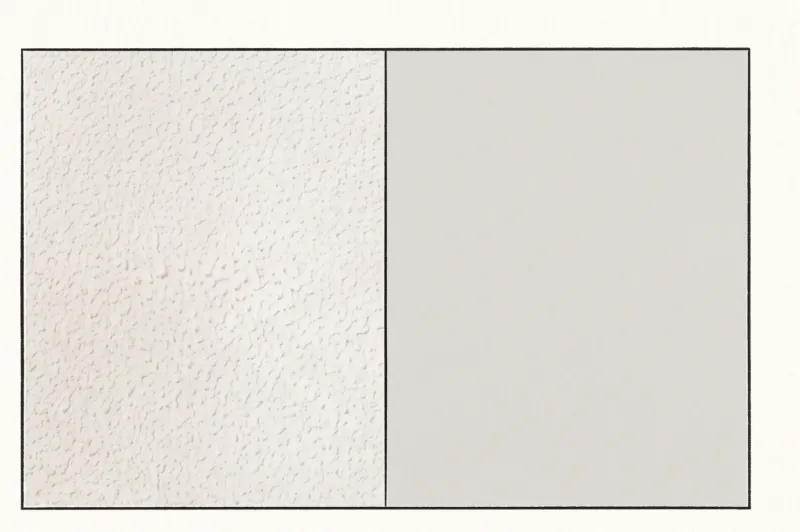
If the background is cluttered, shadowed, or even slightly textured, the biometric software cannot distinguish where the person ends and the background begins. For example, a drop shadow cast by a harsh light, or the subtle pattern of textured plaster, destroys the uniformity of the image. The software misinterprets these shadows or background artifacts as part of your physical profile. When the mapping algorithm cannot establish a clean outline, it leads to an automatic failure of the photo.
In our daily practice of preparing document photos, we constantly see that what looks like an acceptable plain wall to the naked eye can easily be flagged by a government scanner. To understand how these strict background rules fit into the wider picture of application denials, you can read our complete guide on why passport photos get rejected.
What Are the Exact Background Requirements for Official Photos?
The exact requirements for an official document photo dictate that the background must be plain, light, and completely uniform, with absolutely no patterns or textures. Additionally, there must be no objects, furniture, or other people visible anywhere in the frame.
In our daily practice processing document photos, we frequently see applications delayed by small, overlooked details. If your camera captures a light switch, the edge of a door frame, or even the subtle texture of woodchip wallpaper, you will likely find your passport photo background rejected by the scanner. We cover the full requirements in our complete guide on why passport photos get rejected, but the core rule for backgrounds is absolute simplicity.
When it comes to the exact color, there is no universal global standard. Background color rules vary significantly by country and the specific document you are applying for. For instance, the United States Department of State strictly requires a white or off-white background for 2 × 2 inch passport and visa photos. In contrast, many European countries issuing standard 35 × 45 mm biometric photos accept, or explicitly prefer, a light grey background to ensure better contrast with the applicant's face and hair.
Because these biometric specifications are so strict, you must always check the specific country's official authority for the exact background color required for your document. Never assume that a white wall will work for every passport globally.
Get your document photo in 2 minutes
Upload a normal selfie and receive a compliant document photo that meets the official technical requirements for your country and document — ready to print or submit online.
Make my photoWhat Are the Top Reasons Your Background Will Be Denied?
A passport photo background will be denied primarily if it features shadows, visible textures, lighting gradients, or artificial color casts that disrupt the uniform space around your head. In my daily practice of verifying document photos, I see that while most applicants understand the need for a plain wall, they often fail on the technical execution. The biometric software used by passport authorities, which relies on guidelines from ICAO Doc 9303, requires a perfectly clean canvas to map the exact edges of your face and shoulders. If the background contains any irregularities, the automated system cannot accurately separate you from your surroundings, resulting in an immediate rejection.
Shadows Behind the Head or on the Shoulders
A dark drop shadow appearing directly behind your head or shoulders is the single most frequent reason a passport photo gets rejected for background issues. This happens when you stand completely flat against a wall while using a camera flash or strong overhead lighting. The resulting shadow creates a high-contrast dark shape that ruins the strict requirement for a plain, uniform background.
In practice, biometric scanners often confuse these sharp, dark shadows with the outline of your hair or clothing, breaking the required facial crop. The fix for this is purely physical: you must step about 50 cm away from the wall. By creating this physical gap, you allow the ambient light to fall behind you, completely eliminating the drop shadow from the camera's view.
Textured Walls and Unseen Patterns
Textured backgrounds are a major trap for home photographers because they often look perfectly plain to the naked eye. Woodchip wallpaper, lightly painted brick, or textured plaster might seem like a solid color, but they will be rejected by passport authorities. The standard mandates a completely smooth background with absolutely no patterns or textures visible in the frame.
Modern smartphone cameras are incredibly sharp and process images with high local contrast. This means they will pick up every bump and groove in a textured wall, rendering the background visibly uneven in the final digital file. If you do not have access to a perfectly smooth wall, hang a flat, thoroughly ironed sheet to create a genuinely untextured surface that meets the official technical requirements.
Uneven Lighting and Gradients
Uneven lighting creates a gradient effect where the background is bright on one side and noticeably darker on the other, immediately violating the rule that the background must be a uniform shade. A photo rejected for this reason usually happens when the applicant stands next to a single window or uses a single directional lamp.
If the light hits you heavily from the left, the right side of the background will fall into deep shadow. Official requirements demand even lighting across the entire image, with no harsh contrast. To prevent this gradient, position yourself facing a light source directly, so the light spreads evenly across both your face and the space behind you. This ensures the background remains the exact same shade in every corner of the frame.
Wrong Colors and Color Casts
Using the wrong background color or introducing a color cast through poor lighting will cause your photo to fail manual and automated checks. Indoor yellow or warm lightbulbs can easily make a pure white wall look distinctly yellow, beige, or greyish-orange in the final photo. Official rules strictly forbid this; natural skin tones and accurate background colors are mandatory.
Additionally, a background that is too dark offers poor contrast with your hair and clothing, making it impossible for the system to detect where your shoulders end. Remember that exact background color rules vary by country: the US Department of State requires white or off-white for a 2x2 inch photo, while many European countries using the 35x45 mm format accept or explicitly prefer a light grey background. Always check your destination country's specific requirement, and use natural daylight to avoid artificial color casts.
How to Shoot the Perfect Background at Home (Step-by-Step Checklist)
To shoot the perfect document photo background at home, you must combine a smooth, pattern-free surface with even, diffused lighting and precise physical positioning. The goal is to completely isolate your face from your environment so the final image meets stringent biometric standards without requiring manual retouching.
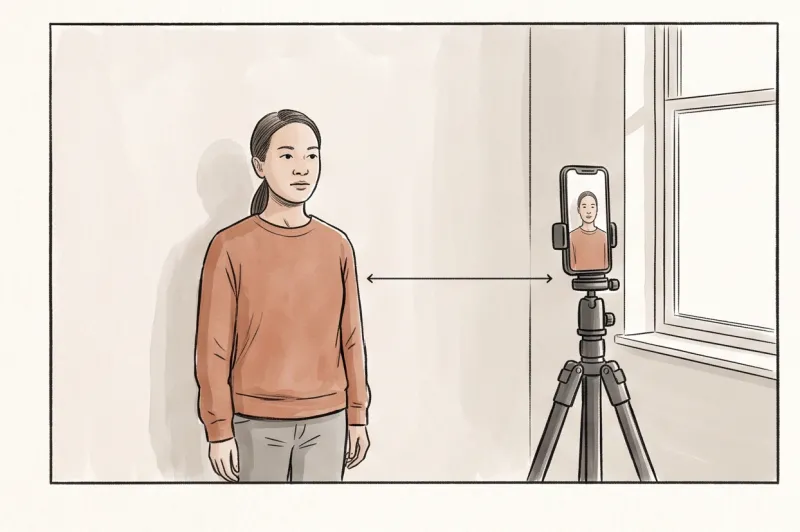
When preparing a digital file with your smartphone, follow this practical checklist to get the environment right on the first try:
- Secure a plain surface: Find a completely smooth, untextured wall. If your walls are textured, hang a flat, well-ironed sheet. Choose pure white or light grey depending on your specific document (for example, the US Department of State strictly requires white or off-white for a 2×2 inch passport photo). Ensure the fabric is pulled tightly, as wrinkles create micro-shadows that software interprets as an illegal texture.
- Harness natural light: Position yourself facing a window to capture diffused daylight. Never stand with your back to the light source, as backlighting turns your face into a silhouette and ruins the exposure. Avoid direct, harsh sunlight, which causes squinting and casts deep shadows across your nose and chin.
- Step away from the wall: Move approximately half a meter (50 cm) forward from your chosen backdrop. This physical gap is the most effective way to prevent ambient room lights or natural light from casting a harsh drop shadow directly behind your shoulders.
- Clear the frame entirely: Inspect the edges of your camera frame before taking the shot. Ensure absolutely no door frames, light switches, posters, or edges of furniture peek into the shot. The biometric requirement is absolute: only you and the plain background can be visible.
Ready to prepare your document photo?
Skip the studio. Upload a selfie and get a professionally prepared photo that meets the official technical requirements in about two minutes.
Get startedCan I Digitally Remove the Background Myself?
You should not attempt to digitally remove the background yourself, as amateur editing often results in a rejected photo due to strict rules against digital manipulation. Manual erasure frequently leaves jagged edges, cuts off natural hair strands, and creates an unnatural halo effect that alerts official scanning software to unauthorized alterations.
In my daily work preparing document photos, one of the fastest ways an application fails is when a person uses a basic eraser tool to swap a cluttered room for a white background. Official authorities — such as the US Department of State, GOV.UK, and European ministries of interior — explicitly ban filters, obvious digital beautification, and manual image reshaping. When you manually cut out your own silhouette, it is nearly impossible to preserve the fine details of your hair. The resulting unnaturally sharp boundary around the shoulders and head is a clear violation. The photo must remain an accurate biometric record, and any obvious manual tampering with the image file will trigger an automatic rejection for digital manipulation.
Instead of risking a failed application and wasting time with complex photo editing tools, you can use our professional service, PhotoID24. You simply upload a normal selfie taken against a relatively plain wall, and our professional system automatically formats the background to meet the exact official technical requirements for your chosen country and document. In just a few minutes, the background is prepared safely and correctly, ensuring your final image is fully compliant without the severe risks of amateur manual retouching.
Do Background Rules Change for Babies and Children?
The background rule for babies and young children remains exactly the same as for adults: it must be completely plain, light, and uniform. While many official authorities relax the strict biometric rules for infants regarding open eyes or a neutral expression, they never compromise on the background requirements.
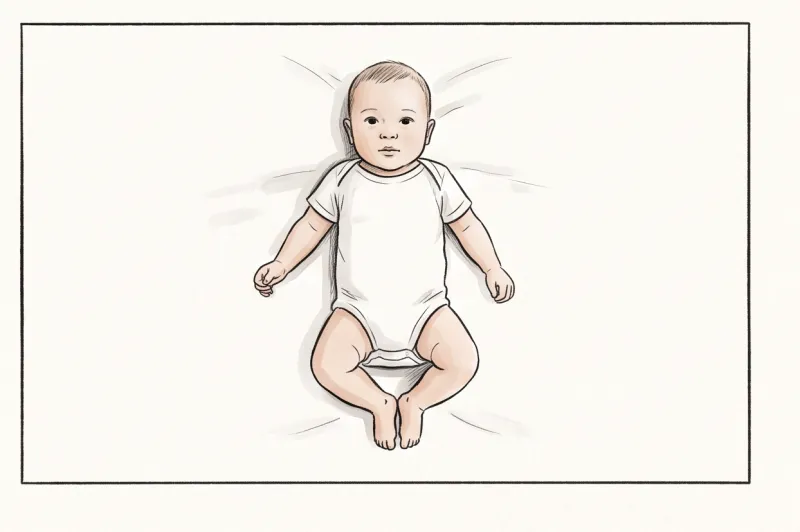
To achieve this easily at home, lay a plain, light-colored blanket or an ironed, unpatterned white sheet over a flat mattress or inside a car seat. Place the infant on their back and take the photograph from above. This setup naturally creates the clean, distraction-free backdrop that facial recognition software requires.
In practice, the single most frequent reason an infant's passport photo is rejected is the presence of adult hands. Even if you need to gently support the baby's head or body off-camera, your fingers cannot be visible anywhere in the frame. You must also ensure that absolutely no toys, pacifiers (dummies), or patterned pillows are caught in the shot, as these objects violate the biometric standard and will trigger an automatic rejection.
Get your document photo in 2 minutes
Upload a normal selfie and receive a compliant document photo that meets the official technical requirements for your country and document — ready to print or submit online.
Make my photoHow to Guarantee Your Passport Photo Background is Accepted
To ensure your document photo passes official background checks, you must provide an image where your exact physical outline — your head, hair, and shoulders — contrasts sharply against a clean, shadow-free surface. Understanding this biometric necessity is the key to getting your photo approved. Government facial recognition scanners do not look at photos the way human clerks do; they look for hard data points. If a drop shadow, a textured wall, or uneven lighting blurs the boundary between your face and the background, the software cannot map your features properly, leading to an automatic failure.
In my daily practice preparing and verifying document photos, I constantly see applicants waste time trying to engineer a makeshift studio at home. Even when you find a plain wall, natural daylight can shift, casting a slight gradient across the frame that ruins the required uniform color. The authorities do not grade you on your effort — they only care if the background meets their strict technical threshold.
Using a professional service like PhotoID24 entirely eliminates the stress of finding the perfect wall and lighting setup. Instead of struggling with bedsheets and desk lamps, you simply take a well-lit photo facing a window. You upload this standard image, and our professional system automatically formats the background to meet the exact official technical requirements. In about two minutes, you receive a compliant photo with a perfectly uniform background, free from the jagged edges or obvious manipulation that cause amateur digital edits to be rejected.
It is also crucial to remember that there is no universal global standard for background color or photo dimensions. For example, the United States Department of State strictly mandates a white or off-white background for 2 × 2 inch (51 × 51 mm) photos. In contrast, many European countries require a light grey background for their standard 35 × 45 mm formats to provide better contrast against pale skin tones. Attempting to guess these rules or use a one-size-fits-all approach is a fast track to application delays.
To ensure you have the correct specifications, always verify the rules for your specific destination. You can find the exact, officially sourced requirements for your specific country and document type by browsing our document photo catalog.
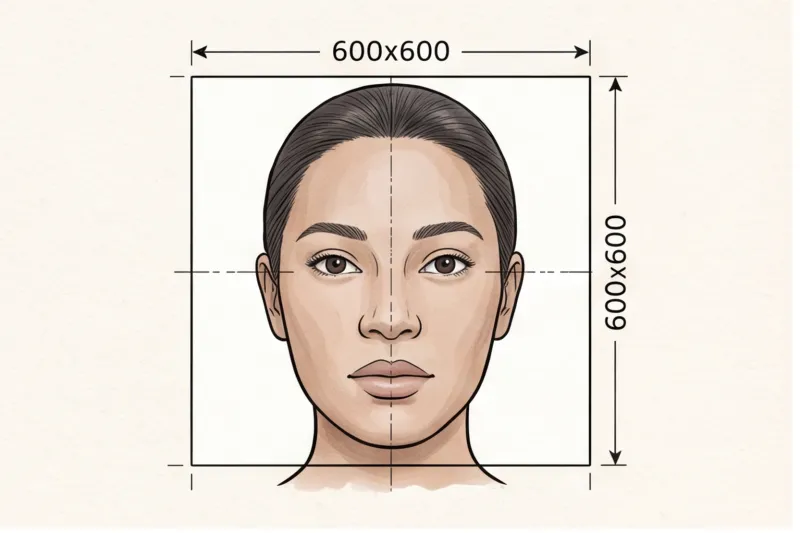
Your immediate next step is simple. Stop risking your application deadline on an unreliable home background. Choose your required country and document on PhotoID24, take a quick photo with your phone, and let our system verify and prepare it. Whether you need a digital file formatted to the correct pixel dimensions and file size for an online portal, or a properly sized template ready to print on high-quality photo paper, you will have a fully compliant result in minutes.