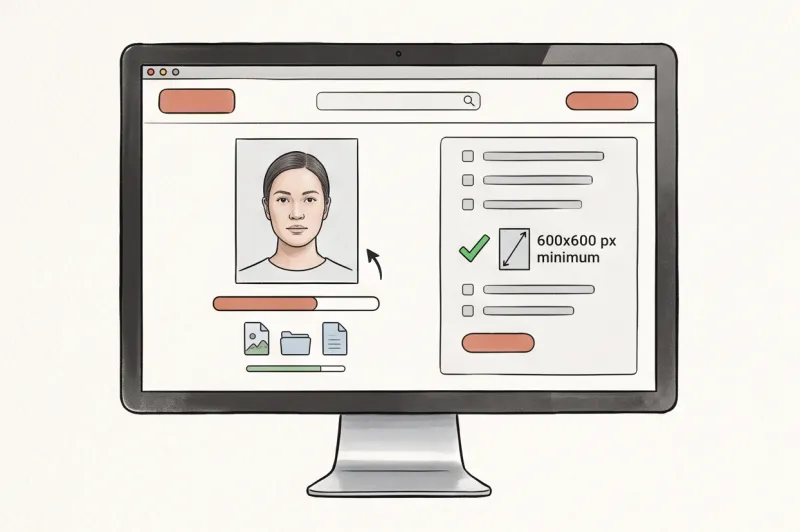
What Are the Rules for a Passport Picture for Online Renewal?
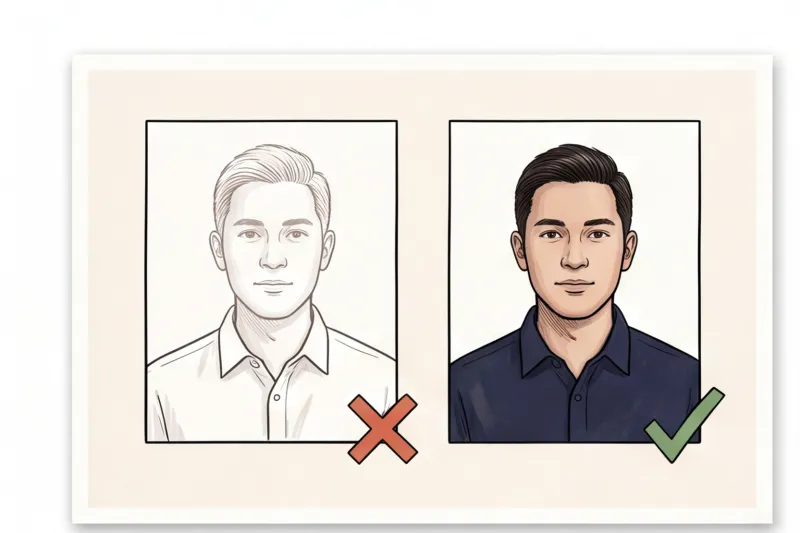
When you submit an application for a passport photo online renewal, your uploaded image does not just go to a human reviewer — it is instantly scanned by biometric software. While digital portals make the renewal process incredibly convenient, allowing you to apply from home at any hour, they are also mercilessly strict. A digital portal will often kick back a non-compliant file in seconds. A shadow on the wall or a slight smile that might have been overlooked by a clerk a decade ago will now trigger an immediate automatic rejection.
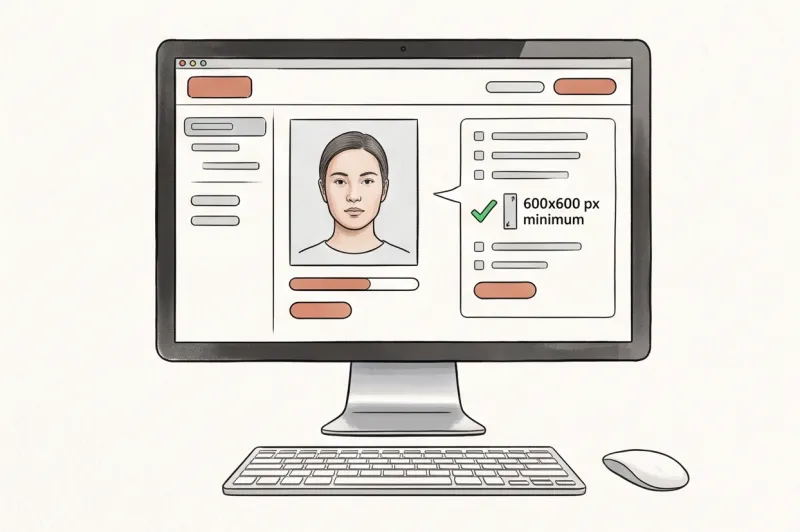
The rules for digital pictures are not new; they follow the exact same international guidelines as physical prints. Specifically, most national digital immigration portals are built to enforce ICAO Doc 9303, the global standard for machine-readable travel documents. Because your digital file is used to measure your facial features, you must adhere to strict universal basics. You must face straight to the camera with your head centred, shoulders square, and looking directly at the lens. Your expression must remain completely neutral — mouth closed, no smiling, and both eyes open and clearly visible. A smile shifts your cheeks and squints your eyes, which distorts the facial geometry the software attempts to map.
In practice, one of the most frequent reasons a digital photo fails the initial portal check is a flawed background or poor lighting. The standard requires a plain, light, and uniform background. This is usually white or light grey, though you should check your specific country's exact colour requirement. There can be no patterns, no visible objects, no other people, and absolutely no shadows cast on the wall behind your head or across your face. Even lighting across your face is critical when shooting a digital file.
Furthermore, the photo must be recent. Authorities universally require an image taken within the last 6 months so that it accurately reflects your current everyday appearance. If you upload an older photo, or one where your appearance has significantly changed, it defeats the purpose of the biometric check. We cover the full requirements in the complete guide.
What Are the Passport Photo Requirements for Makeup?
You can wear makeup in a passport photo, but it must be natural, everyday makeup that does not alter your fundamental facial features or skin tone. The primary goal of a biometric photo is precise identification, so the final image must genuinely look like you on a normal day.
In our experience preparing document photos, a common mistake is applying heavy contouring or using digital beautification filters before uploading the file. Biometric software measures the specific geometry of your face, such as the exact distance between your eyes, the shape of your cheekbones, and the outline of your jaw. Heavy contouring creates artificial shadows that confuse these automated measurements. Similarly, thick eyeliner that changes the visible shape of your eyes, or dramatic lip colours that obscure the natural line of your mouth, can lead to a verification failure.
Digital filters are even more problematic. Many smartphones apply subtle skin-smoothing or face-slimming filters by default, which actively reshape your features. You must turn these off entirely. While removing a temporary blemish like a spot in post-production is generally acceptable, altering your skin texture, reshaping your jaw, or changing your eye colour with tinted contacts is strictly forbidden. If the portal detects digital manipulation, your photo will be rejected.
Print vs. Digital Submission: What’s the Difference?
The primary difference is that printed photos rely on physical dimensions measured in millimeters or inches, while digital submissions demand exact pixel dimensions, specific aspect ratios, and strict file size limits. When you submit a paper application, officials measure the physical print. Common standard sizes include 35 × 45 mm across most of Europe and Australia, or 2 × 2 inches in the United States. These prints are usually required to be produced on high-quality photo paper at a specific print resolution, commonly between 300 and 600 DPI.
Conversely, for a passport photo online renewal, a physical print is useless. The portal requires a digital file, and government upload systems are rigorously programmed to reject files that fall outside their parameters. Specific file size caps (such as a maximum limit in megabytes or kilobytes) and file formats (almost universally JPEG) depend entirely on the country's online application system. If a portal requires a file under 5 MB, submitting a highly detailed 8 MB smartphone image will result in an instant error message, no matter how perfect your lighting or expression is.
Because digital portals often run automated preliminary checks, you should never guess your digital requirements. A photo cropped to a random rectangular shape will be rejected if the system expects a square aspect ratio. Always check the specific country's official source to confirm their exact digital specifications before you attempt an upload. We cover how these rules differ internationally in our complete guide to global requirements.
Get your document photo in 2 minutes
Upload a normal selfie and receive a compliant document photo that meets the official technical requirements for your country and document — ready to print or submit online.
Make my photoHow Do I Make a 2x2 Photo for My Passport Online?
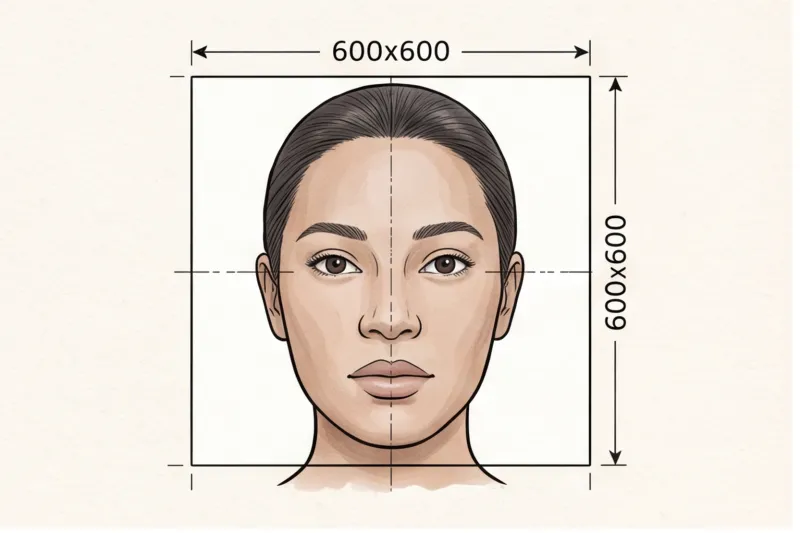
To make a digital 2x2 photo for a U.S. online application, your image must be cropped to a perfect square and have a minimum resolution of 600 × 600 pixels. The United States uses a standard physical size of 2 × 2 inches (51 × 51 mm) for printed passport and visa photos. When you transition to an online renewal through the U.S. Department of State portal, you must provide the precise digital equivalent.
The digital image must be in color, saved in JPEG format, and maintain a strict 1:1 aspect ratio. If you try to upload a standard rectangular photo straight from your smartphone camera, the system will distort your features or reject the file entirely. Furthermore, simply resizing the image to 600 × 600 pixels is not enough; the internal composition must also be correct. According to U.S. Department of State rules, your head must fill the correct proportion of the frame, measured from the bottom of your chin to the top of your head, while leaving adequate blank space above your hair.
Instead of struggling with manual cropping tools and file compression to hit these exact digital metrics, you can use our service to automatically format your file. Link down to our specific U.S. passport photo catalog landing page to see the exact, current specs and get a digital file that meets all official technical requirements instantly.
What Will Get a Passport Photo Rejected Online?
Digital passport portals will reject your uploaded image automatically if it fails biometric checks for lighting, expression, or technical formatting. In practice, the most frequent causes for immediate rejection are uneven shadows, wearing glasses, non-neutral expressions, or uploading a heavily compressed file.
When applying through a digital portal, government software scans your image against strict parameters. To ensure your file meets the official technical requirements and avoids delays, you must eliminate these common errors:
- Uneven lighting and shadows: Biometric software cannot process faces with harsh shadows across the cheeks or a visible shadow cast on the background behind the head. The lighting must be perfectly even, and the background must remain plain, light, and uniform with no other objects in the frame.
- Wearing glasses: Glasses are increasingly banned for official documents. The U.S. Department of State and most EU and UK authorities now completely ban glasses in passport photos. Even in countries that still permit them, lens glare, tinted lenses, or frames covering the eyes will trigger a rejection. The safest default advice is to remove your glasses entirely unless you have a documented medical exception permitted by your specific country.
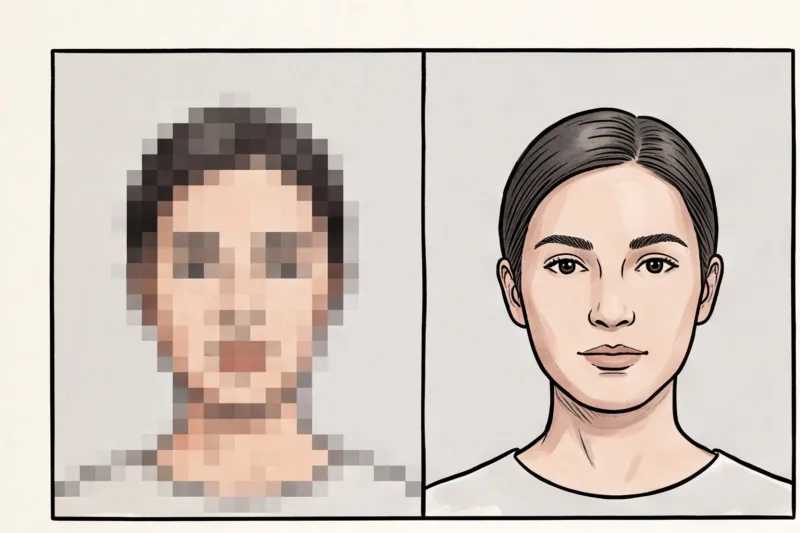
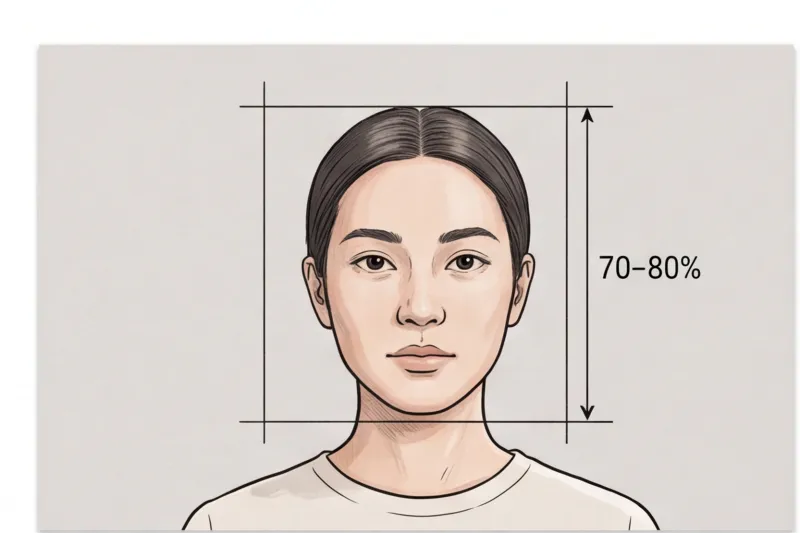
- Technical and cropping flaws: Digital uploads are highly sensitive to file quality. Heavy JPEG compression, pixelation, or blurriness will cause the system to reject the file outright. Bad cropping is another major issue — if the face is cut off, too large, or too small in the frame, it violates the required head-height ratio. Most standards dictate the face must fill roughly 70–80% of the frame height, though exact percentages depend on the country.
- Non-neutral expressions: Under the international ICAO Doc 9303 standard, your expression must be strictly neutral. Smiling, showing teeth, frowning, or having your mouth open will result in a failed application. Both eyes must be open, clearly visible, and looking directly at the camera lens.
- Appearance items obscuring the face: Anything that alters your head's natural outline or hides facial features is prohibited. This includes hats, headphones, or heavy makeup that changes your appearance. Your hair must be tucked back so it does not obscure the face outline or fall over your eyes. Head coverings are allowed only for religious or medical reasons, and even then, the full face must remain completely visible from the bottom of the chin to the forehead without casting any shadows.
How to Take a Digital Passport Photo at Home
To capture a compliant digital passport photo at home, you need a standard smartphone, a plain light wall, and even natural lighting. Because modern smartphone cameras capture images at exceptionally high resolutions, they easily exceed the typical technical requirements of government portals, making expensive studio equipment unnecessary. In practice, a successful home shoot simply comes down to strict positioning and avoiding any digital alterations.
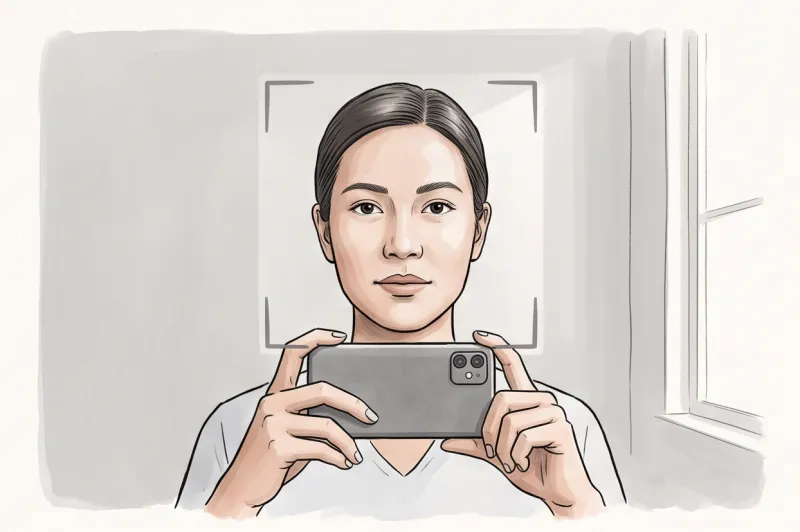
Follow these precise steps to ensure your digital file meets international biometric photo standards:
- Set up your lighting and background: Find a plain, light-colored wall, ideally white or light grey, with no patterns or objects in the frame. Face directly toward a window so natural daylight illuminates your face evenly. This eliminates the harsh shadows under the nose or behind the head that frequently cause digital applications to be rejected.
- Position the camera at eye level: Place the phone exactly at eye level. A common mistake when shooting at home is holding the phone too high or too low, which tilts the head and shoulders. You must stand about 1.5 to 2 meters away from the camera. Shooting any closer with a smartphone's wide-angle lens causes "fisheye" facial distortion that will fail biometric scanning. Ask a friend to hold the phone or set it up on a tripod.
- Capture with plenty of space: Take the photo without using the digital zoom, which degrades image sharpness and introduces pixelation. Leave ample space above your head and around your shoulders. This extra headroom is critical so the photo can be perfectly cropped later to meet your country's specific head-height ratio (which is 70–80% of the frame in most standards).
- Leave the file unedited: Never apply filters, digital retouching, or blemish-removal tools. The photo must be a standard, unedited color image showing your natural skin tone. Digital beautification alters facial geometry and is strictly prohibited by passport authorities.
Ready to prepare your document photo?
Skip the studio. Upload a selfie and get a professionally prepared photo that meets the official technical requirements in about two minutes.
Get startedChecklist for a Successful Passport Photo Online Renewal
Before uploading your image to any government portal, verify it against the core international biometric standards. A single missed detail in your passport photo online renewal application will trigger an automatic rejection. Run through this final check to ensure your digital file is compliant.
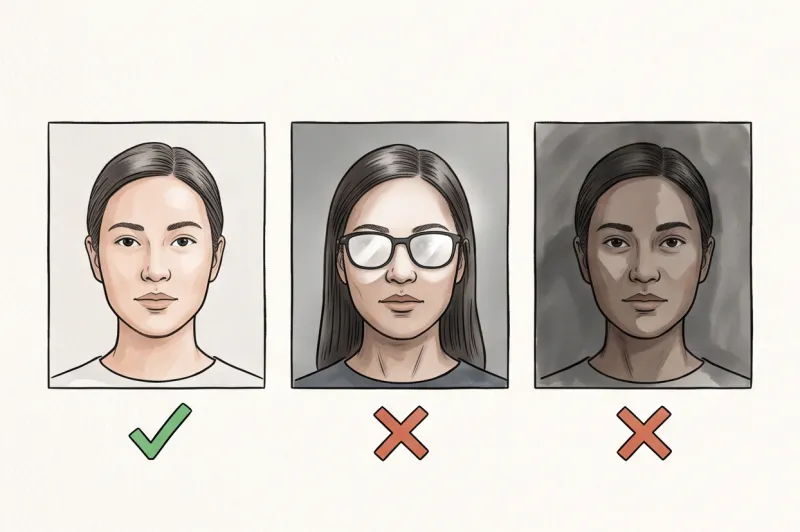
- Strictly neutral expression: Your mouth must be completely closed with no smile, and both eyes must be open and looking directly at the lens.
- Plain, light background: The area behind you must be uniform (white or light grey) and completely free of shadows, textures, or background objects.
- Square shoulders and level head: Face the camera straight on. Your head must be perfectly straight without any forward, backward, or side tilt.
- No glasses or hair interference: Remove your glasses — they are now entirely banned for passports in the US, UK, and most EU countries — and ensure your hair does not obscure your eyes or face outline.
- Unedited, colour file: The image must be in natural colour with zero digital filters, beauty enhancements, or blemish retouching applied.
- Correct digital format: Confirm that the final image meets the exact pixel dimensions, aspect ratio, and maximum file size limits defined by your specific country's official issuing authority.
Get Your Digital Passport Photo Ready in Minutes
Securing a compliant digital image does not require booking a professional studio session or struggling with complicated cropping software. The fastest, most reliable way to finalize your passport photo online renewal is by using a professional, automatic service designed specifically for official documents. Our service, PhotoID24, bridges the gap between a standard smartphone snapshot and a technically perfect file, delivering a ready-to-use image in about two minutes.
When applying through a digital government portal, technical precision is everything. A manual attempt to resize an image often results in stretched aspect ratios, improper head-height proportions, or heavy JPEG compression that ruins the photo's sharpness. Instead of guessing whether your face occupies the required 70–80% of the frame or trying to shrink a file size without losing quality, you can simply upload a standard smartphone selfie to our platform. The system automatically processes the image, checking it against the strict rules established by authorities like ICAO, the U.S. Department of State, or GOV.UK.
This automatic process immediately resolves the most common technical causes of portal rejection. It removes your original background and replaces it with the required plain, light uniform color, eliminating any accidental shadows or textures. It then perfectly crops the image to the exact pixel dimensions mandated by your destination country — whether you need a minimum 600 × 600 pixel digital square for the United States or a digital file matching the proportions of a 35 × 45 mm European standard. Because every country has different specifications, selecting your specific document from our catalog ensures the formatting is tailored exactly to that nation's current laws.
The final result is a pristine digital file delivered directly to your device, strictly formatted and ready for immediate online submission. We ensure that every processed image meets the official technical requirements for the chosen country's document. This removes the stress of the application process; you do not need to worry about manual pixel counts, kilobyte limits, or background shading. You simply upload the file to your government renewal portal knowing the technical specifications are perfectly aligned with the authority's demands.
Take action today to avoid unnecessary application delays. Stand facing a window for even, natural light, look straight at the lens with a completely neutral expression, and ensure your glasses are removed. Once you capture a clear, focused shot, let our system handle the complex formatting. You will receive a fully compliant digital photo instantly, alongside a free print sheet should you also need physical copies for a parallel paper application.
Get your document photo in 2 minutes
Upload a normal selfie and receive a compliant document photo that meets the official technical requirements for your country and document — ready to print or submit online.
Make my photo