What Are the Standard Job Application Photo Requirements?
A recruiter often spends just seconds scanning a resume, and an amateurish image can instantly derail a strong first impression. The fundamental standard for a job application photo is that it must present you clearly, professionally, and without visual distraction. While CV photos lack the strict legal requirements of government documents, the most reliable strategy is to borrow international biometric photo principles. Applying these rules guarantees a professional result that appeals to any HR department.
Ready to make one? Turn a selfie into a compliant job application, CV or resume photo in the correct size and background — no studio needed.
Unlike a passport application governed by precise standards like ICAO Doc 9303, a CV photo will not be formally rejected by a government scanning machine. However, human recruiters implicitly judge technical quality. Relying on standard biometric principles — such as a plain background, even lighting, and a straight face — is the easiest way to ensure a photo looks professional to an employer. It strips away background clutter and casual posing, leaving only a confident, capable candidate.
To achieve this standard, ensure your photo meets these core technical requirements:
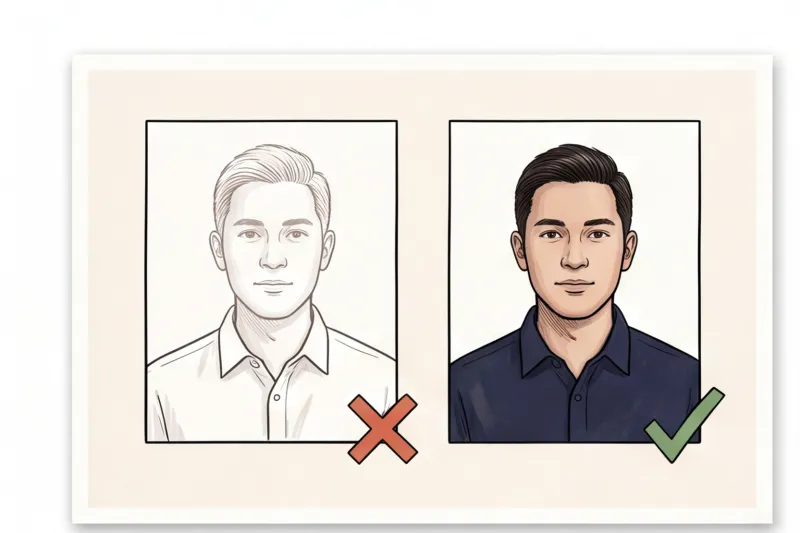
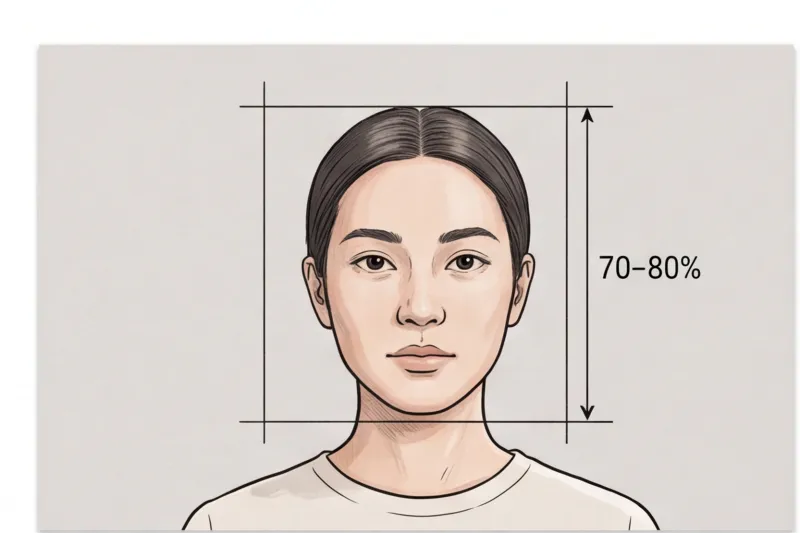
- Direct eye contact and posture: Face straight to the camera with your head centred in the frame, allowing your face to fill roughly 70–80% of the image. Look directly at the lens. This creates immediate "eye contact" with the recruiter, projecting confidence and approachability. Your shoulders should be square, with no extreme head tilts.
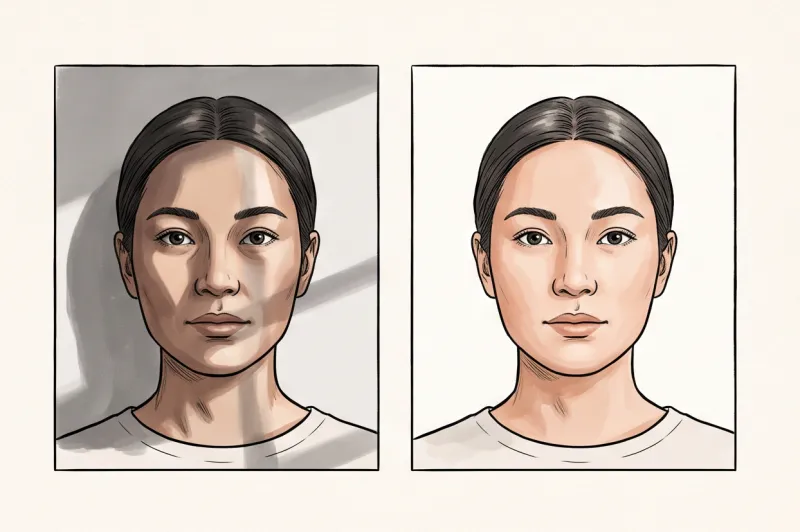
- Plain, uniform background: Use a plain, light, uniform background, ideally white or light grey. In our practice, we see many CV photos look unprofessional simply because of patterned walls, visible room objects, or deep shadows behind the candidate's head. A neutral backdrop keeps the focus entirely on you.
- Even lighting: Ensure the lighting is balanced. There should be no harsh shadows across your face or behind your head, no over-exposure, and no glare. The photo must capture natural skin tones with good sharpness and focus.
- No digital manipulation: Avoid the temptation to use social media filters, digital beautification, or heavy retouching. Removing a temporary blemish is acceptable, but reshaping facial features is not. The photo must look exactly like the real person who will show up for the interview.
- Recent timeline: The photo must be recent, typically taken within the last 6 months. It needs to reflect your current appearance accurately so the interviewer immediately recognizes you.
By treating your CV image with the same technical care as an official document, you eliminate formatting distractions and ensure your professional qualifications remain the focal point of the application.
Do You Need a Photo on Your CV? (Global Perspectives)
Whether you should include a job application photo depends entirely on the country where you are applying. Rules and professional norms vary significantly across the globe, meaning a portrait that strengthens your profile in one region might cause your resume to be immediately discarded in another.
When deciding how to format your application, keep these regional standards in mind:
- Europe and Asia: In many European countries — particularly within the DACH region (Germany, Austria, and Switzerland) and Eastern Europe — as well as across parts of Asia, a photo is often expected or highly recommended. In these markets, employers view a professional headshot as a standard, polite way to introduce yourself.
- The United States and the United Kingdom: In the US and UK, CV photos are generally discouraged for standard job applications. To comply with strict anti-discrimination norms, many companies in these regions will automatically reject a resume containing a picture to avoid any appearance of bias regarding age, race, or gender. However, a high-quality job application photo is still widely used and expected on professional networking profiles.
Always research the local corporate culture and the specific employer's guidelines before including a job application photo. If you are applying to a multinational company, follow the norms of the country where the specific office is located. When in doubt, review the job description carefully; if an employer explicitly requests a CV without a photo, strictly follow that instruction.
Get your document photo in 2 minutes
Upload a normal selfie and receive a compliant document photo that meets the official technical requirements for your country and document — ready to print or submit online.
Make my photoWhat Size Should a Job Application Photo Be?
There is no single global size for a job application photo. Because CV formats are not regulated by strict government laws, the most effective and universally accepted approach is to mirror the local official passport photo dimensions of the country where you are applying.
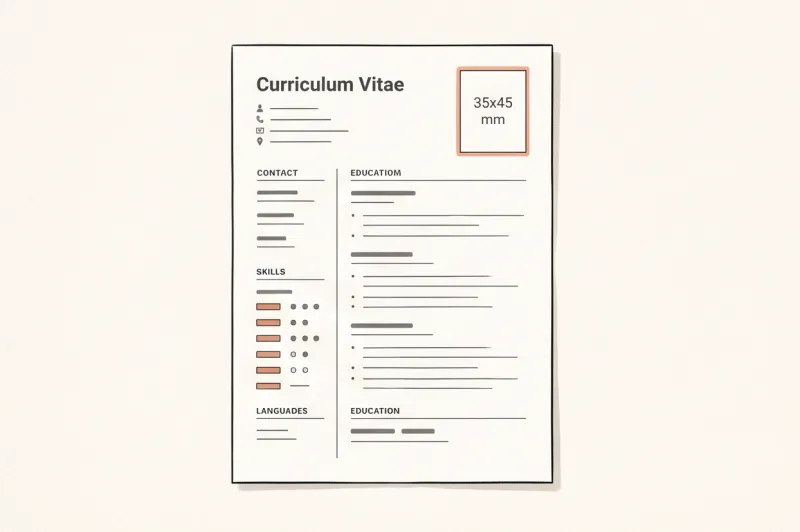
In practice, utilizing established biometric photo sizes guarantees that your image looks professional and proportional to recruiters. In Europe, the United Kingdom, Australia, and many other international markets, the 35 × 45 mm format is the most widespread. This specific rectangular dimension is highly practical because it fits perfectly into the top corner of a standard A4 CV template, cleanly aligning with your text without taking up too much valuable space on the page.
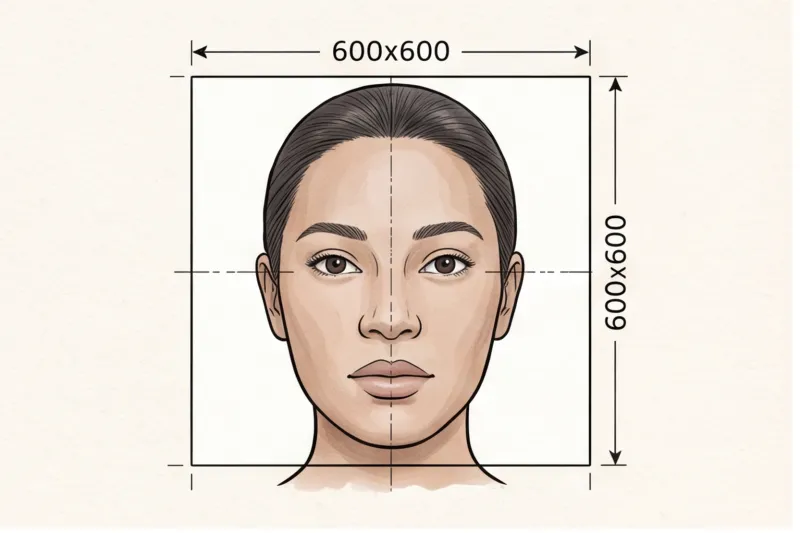
If you are applying for roles in the United States, the visual standard changes. While photos on standard resumes are generally discouraged, professional profile pictures for networking platforms typically follow the U.S. Department of State passport ratio, which is 2 × 2 inches (51 × 51 mm). This square format requires a slightly different crop, usually showing a bit more of the shoulders to balance the wider frame.
For digital applications — whether you are embedding the image into a PDF resume or uploading it to an online application portal — the exact physical dimensions are secondary to the internal proportions. You must focus heavily on the head-height ratio. Following universal biometric guidelines, your face should ideally fill roughly 70–80% of the frame height. This specific crop ensures that your face remains clearly visible and recognizable even when a hiring manager views your document scaled down on a small laptop or smartphone screen. To achieve this correctly, ensure there is a small, even gap of visible background above your hair, and crop the bottom of the image just below your collarbone.
Navigating different international standards can be tedious when formatting your documents. Instead of manually guessing the correct aspect ratio, you can use our service, PhotoID24. Simply upload a clear picture, and the system will automatically format it to the exact dimensions required for your target market — delivering a perfectly cropped, professional file in minutes.
How to Pose and What to Wear for Your CV Photo?
For a CV photo, you should sit straight with your shoulders square to the camera, keep your head perfectly level, and dress professionally without distracting accessories. Unlike strict government document rules, you are permitted—and often encouraged—to offer a mild, professional smile to appear approachable to recruiters.
In our experience reviewing thousands of document photos, a rigid, overly stern look is a frequent mistake for job applications. The international biometric standard (ICAO Doc 9303) strictly forbids smiling, requiring a completely neutral expression with a closed mouth to ensure passport facial recognition works. However, your CV is about human connection. Relaxing your face into a gentle, welcoming smile is completely acceptable for this purpose. If you prefer not to smile, a neutral expression with a closed mouth remains a safe choice, provided you look directly and attentively at the lens.
Posture is equally important for a professional result. Keep your eyes and head level. Do not tilt your head to the side, as this often looks unnatural or overly casual in a corporate context. Your shoulders must be square to the camera, which helps frame your face symmetrically and ensures you are directly facing your light source.
When deciding what to wear, avoid anything that obscures your face. Hats and head coverings are generally unacceptable unless worn for religious or medical reasons. If you wear a religious head covering, ensure your full face is visible from the bottom of your chin to your forehead, without casting any shadows. Leave out prominent, heavy jewellery that distracts the viewer, and avoid heavy makeup that alters your everyday appearance.
Glasses often cause technical issues in photography. While they are increasingly banned for official passports in many countries due to reflection risks, you can absolutely wear them in a CV photo if they are part of your standard appearance. The key requirement is eye contact: your eyes must be fully visible. You must ensure the frames do not cover your eyes and that there is absolutely no glare, reflection, or tint on the lenses.
Ready to prepare your document photo?
Skip the studio. Upload a selfie and get a professionally prepared photo that meets the official technical requirements in about two minutes.
Get startedWhy Do Job Application Photos Look Unprofessional? (Common Mistakes)
In practice, a job application photo looks unprofessional not because of the applicant's appearance, but due to basic technical errors. The most common reasons an image fails to impress recruiters are distracting backgrounds, uneven lighting, severe cropping mistakes, low technical resolution, and the obvious use of digital filters. Avoiding these universal rejection triggers will instantly elevate your CV.
Poor Backgrounds
A professional portrait requires a plain, light, uniform background, typically white or light grey. A frequent mistake is using textured wallpaper, outdoor scenes with visible objects, or standing too close to the wall. This proximity creates harsh, visible shadows behind the head. A cluttered background draws the recruiter's eye away from your face and signals a lack of preparation.
Lighting Issues
Uneven light is the fastest way to ruin a portrait. Relying on a single desk lamp or a side window often causes heavy shadows on half the face, making the image look dramatic rather than professional. Similarly, over-exposure can wash out your features, while shooting under poor indoor bulbs creates a distracting yellow or orange colour cast. Professional document standards dictate even lighting with natural skin tones and no harsh shadows on the face or the background.
Low Technical Quality
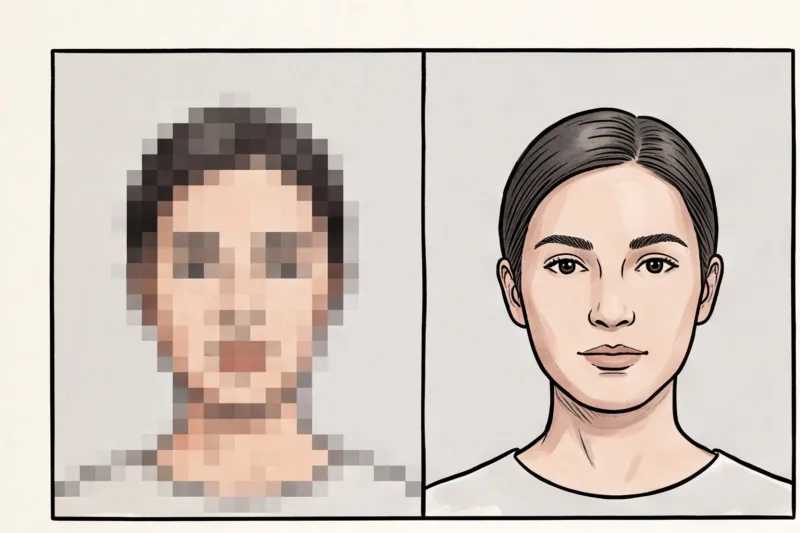
While a standard modern smartphone easily exceeds typical resolution requirements for a CV, user error often degrades the final image. Blurry, pixelated images usually result from taking a photo in a dark room where the camera struggles to focus. Another common trap is digital zooming; pinching your smartphone screen to get closer causes heavy JPEG compression. This results in a grainy, low-quality image that looks amateurish when viewed on a monitor or printed. It is always better to shoot from a normal distance and crop the image later.
Cropping Errors
If you extract a headshot from a group photo or fail to crop your image properly, the proportions will be wrong. A common error is having the face appear either far too small in the frame or so uncomfortably large that the top of the head is completely cut off. Just like strict government ID rules, your CV photo should be framed so that the face fills roughly 70–80% of the image height, keeping the head centred and shoulders square.
Digital Manipulation
Never apply social media filters, digital beautification, or heavy retouching to a job application photo. The photo must look exactly like the real person who will show up for the interview. While editing out a temporary blemish is fine, reshaping your face, altering your eye colour, or smoothing your skin artificially looks highly unprofessional and damages trust before you even speak to a hiring manager.
How to Take a Professional Job Application Photo at Home?
You do not need an expensive photography studio to get a professional CV photo. A modern smartphone, a steady setup, and a source of natural daylight are all you require to capture a high-quality portrait that makes a strong first impression on recruiters.
When taking your own application photo, success comes down to controlling your environment and avoiding common amateur mistakes. Follow these practical steps to ensure your home portrait matches corporate standards.
Set Up Your Background and Lighting
Begin by setting up against a plain, light-coloured wall, ideally white or light grey. Clear away any objects, picture frames, or distracting textures from the frame. A uniform background ensures the hiring manager's attention remains entirely on your face, without visual clutter.
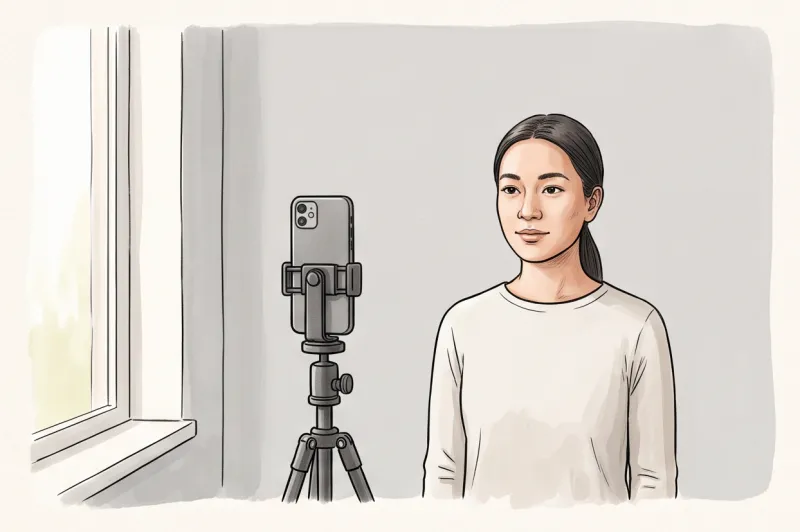
To achieve professional-level exposure without studio equipment, face a window for even, natural lighting. Natural daylight illuminates your features uniformly and helps avoid the harsh shadows on your face or behind your head that indoor ceiling lights typically cause. Ensure the window light falls directly onto you — never stand with the window behind your back, as backlighting will heavily underexpose your face.
Position the Camera at Eye Level
In practice, a frequent reason home portraits look unprofessional is the use of a selfie angle. An outstretched arm forces one shoulder higher than the other, and shooting too close with a smartphone lens distorts your facial proportions. Do not take a selfie.
Instead, use a tripod or have a friend hold the phone exactly at eye level. Stand approximately 1.5 to 2 metres away from the camera. This focal distance naturally flattens your features and allows you to keep your head perfectly level with your shoulders square to the lens.
Process Your Photo Automatically
Once you have a well-lit, clearly focused portrait, avoid the temptation to manually erase background shadows or guess the required aspect ratio in basic editing software. The fastest way to guarantee a polished result is to use a professional service like PhotoID24.
You simply upload your photo, and the tool will automatically adjust the background, crop it to the perfect dimensions (such as the standard 35 × 45 mm format widely expected in Europe), and ensure your face fills roughly 70–80% of the frame. In just a few minutes, the technical quality of your image is checked and formatted, making it entirely ready for your CV.
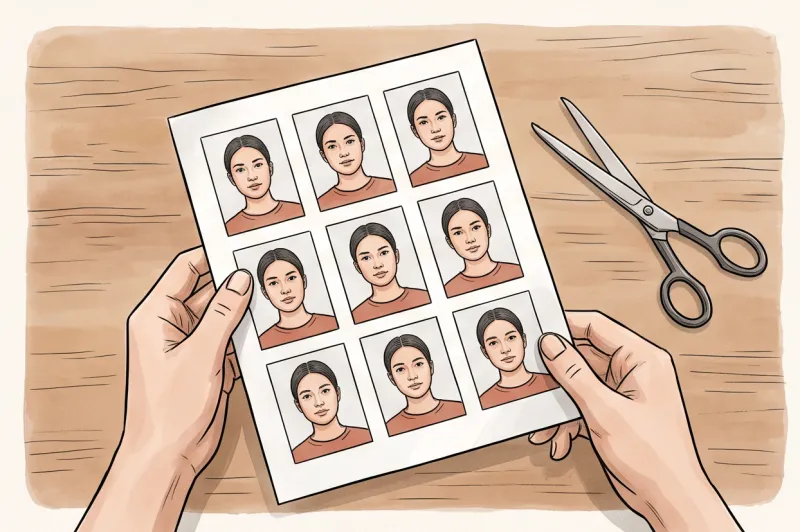
Whether you are attaching the digital file to a PDF resume or printing the final result for an in-person interview, starting with a properly framed, evenly lit photo ensures you present yourself as a detail-oriented professional.
Get your document photo in 2 minutes
Upload a normal selfie and receive a compliant document photo that meets the official technical requirements for your country and document — ready to print or submit online.
Make my photoDigital CVs vs. Printed Applications: Formatting Tips
The method you use to submit your CV dictates how your job application photo must be formatted. Digital applications require an image with high sharpness but an optimized file size, whereas physical resumes demand precise dimensions printed on high-quality photographic paper.
When embedding a photo into a PDF or Word document for a digital submission, striking the right balance is crucial. Ensure the resolution is high—with good sharpness, clear focus, and natural skin tones—so your face remains clear when a recruiter views it on a large screen. However, the file size should not be too massive. A modern smartphone easily exceeds typical resolution requirements, often producing files of several megabytes. Resizing or compressing the photo slightly before inserting it prevents your final CV document from becoming too large to email or upload to an applicant tracking system.
Once the image is inserted into your document editor, you must strictly maintain the correct aspect ratio when adjusting its size. Always scale the image by dragging the corner handles rather than the sides. A frequent formatting mistake is an applicant dragging a side border to make the photo fit into a specific template box, which results in their face becoming stretched or squashed. A distorted aspect ratio instantly ruins an otherwise professional portrait.
If you are handing in a physical, printed resume at an interview or job fair, the technical rules of traditional document printing apply:
- Use photo paper: If attaching a physical photo to your resume, print it on high-quality photo paper. Depending on your preference or the local corporate norm, either a matte or glossy finish is acceptable.
- Avoid standard copy paper: Do not print a photo directly onto standard office copy paper using a cheap home printer. Regular paper causes ink to bleed, making the portrait look heavily pixelated, washed out, and unprofessional.
- Ensure exact dimensions: Print the image accurately to the targeted size (for example, the standard 35 × 45 mm used across much of Europe) without unwanted white borders, unless a specific border is part of your resume design.
Always finalize the crop and formatting of your image before printing to ensure the technical quality remains intact on the final document.
Summary Checklist: Is Your Job Application Photo Ready?
Before you embed an image into your resume or upload it to a professional profile, it must pass a final technical evaluation. A successful job application photo borrows heavily from international biometric standards to guarantee a polished, distraction-free result. Review your final image against this comprehensive checklist to ensure it is fully ready for recruiters.
- Taken within the last 6 months? Your photo must be a recent and accurate representation of how you look today. If you have significantly changed your hairstyle, grown out a beard, or altered your everyday appearance, you need a new portrait. A hiring manager expects the person walking into the interview room to match the profile exactly.
- Plain, light, uniform background with no shadows? In practice, a cluttered or textured background is a frequent reason a CV photo looks amateurish. Verify that the area behind your head is completely plain, ideally white or light grey. Check carefully for any objects, patterns, or hard shadows cast by your shoulders or head onto the backdrop.
- Even lighting on the face with natural skin tones? Assess the image for proper technical exposure. Both sides of your face should be equally illuminated, without heavy shadows over one eye, under the nose, or below the chin. The lighting must also preserve your natural skin tones, avoiding the yellow or blue colour cast often created by poor indoor lighting.
- Face fills roughly 70–80% of the image? Proper cropping is vital for visual impact. Whether you are formatting the image to a standard European 35 × 45 mm size or a US 2 × 2 inch square, your head should be centred and dominate the frame. If your face fills 70–80% of the vertical space, it ensures that your expression remains clear and readable even when a recruiter views a PDF on a small mobile device screen.
- No filters or digital reshaping applied? Authenticity is critical for building trust with a potential employer. While manually removing a temporary blemish is generally acceptable, applying social media beautification, aggressive skin smoothing, or facial reshaping is highly unprofessional. The final image must remain a realistic photograph, free from heavy retouching.
As a final actionable step today, review the digital file itself before sending your application. Always rename your file to something professional, such as Firstname_Lastname_CV_Photo.jpg, rather than leaving an automated camera sequence like IMG_0012.jpg. Additionally, view the photo at 100% zoom to confirm it has good sharpness and focus, with no pixelation around the eyes or edges of your hair.
If your current image falls short on background, lighting, or cropping, you do not need to book a photography studio to start over. Use PhotoID24 to verify and format your CV photo instantly to ensure it meets professional standards.
Ready to prepare your document photo?
Skip the studio. Upload a selfie and get a professionally prepared photo that meets the official technical requirements in about two minutes.
Get started