LinkedIn Profile Picture
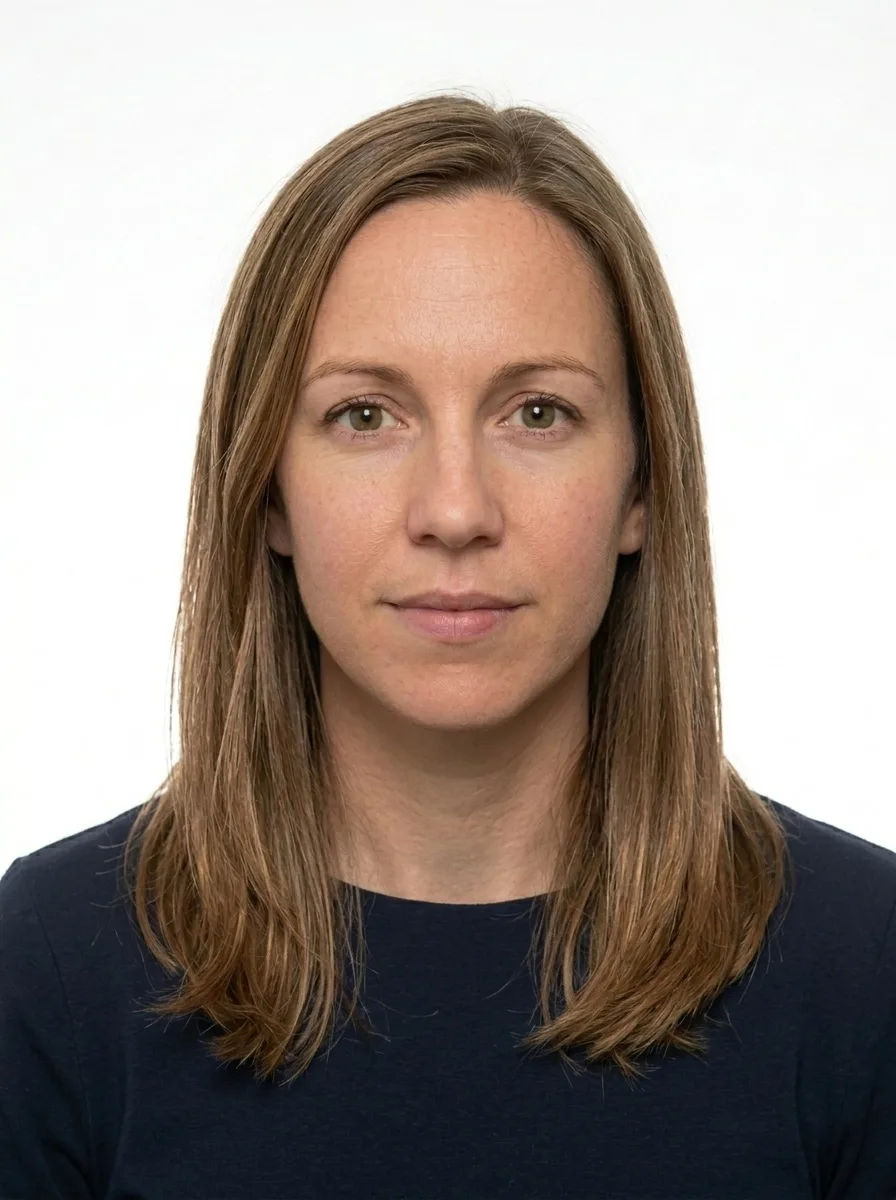
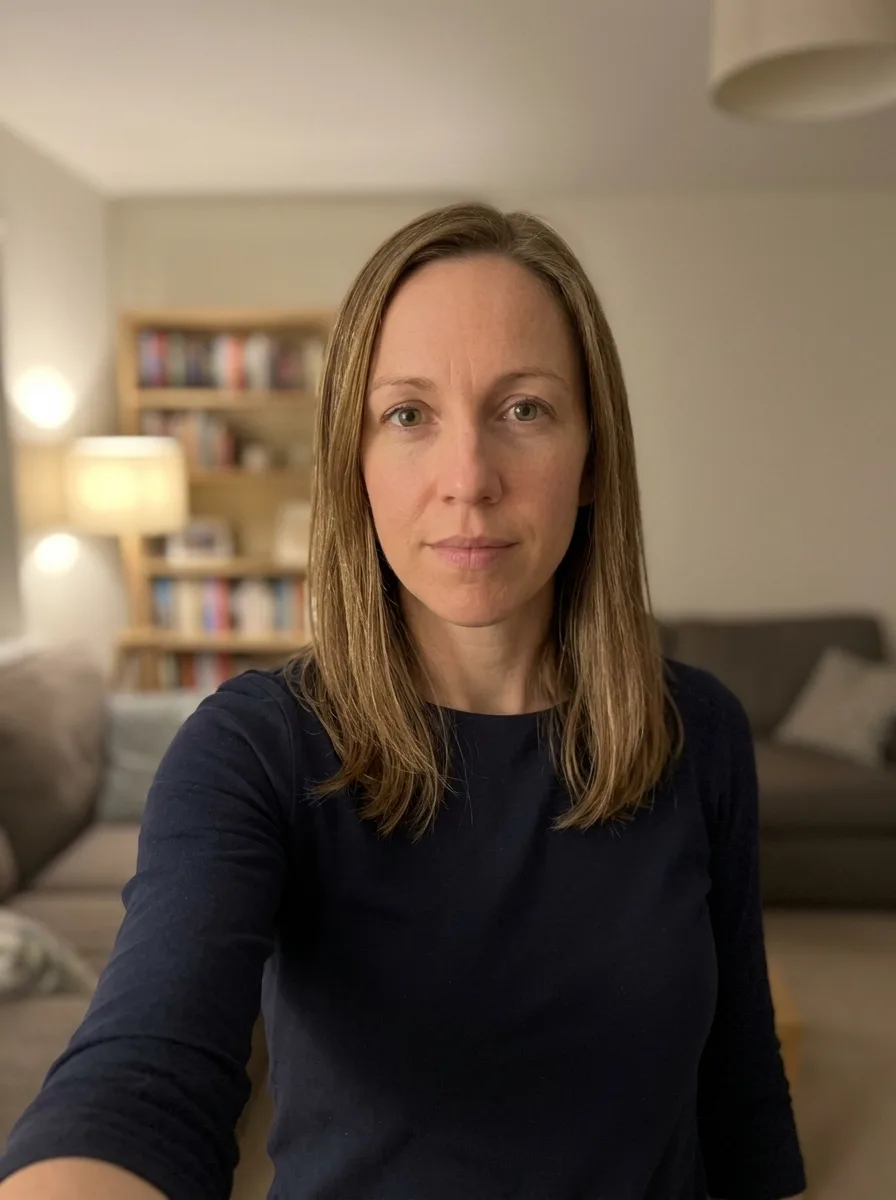
A professional square LinkedIn profile photo from your selfie — clean background, sharp crop and a confident, approachable look. Free preview.
- Meets ICAO 9309
- SSL-secured payment
Where to take the photo from?
Processing your photo...
Loading the image…
Done! Review and pay
This is a watermarked preview. After payment we send the clean file, ready to submit.
Check against document requirements
| Delivery | File by email right after payment |
|---|---|
| Included | Photo + self-print sheet — free |
| Guarantee | Rejected? Refund or free redo |
| Standard | Meets ICAO 9309 |
| Payment | Secure (SSL) · Visa · Mastercard |
| Privacy | GDPR · photos deleted automatically |
A better photo is needed
- Good even lighting, no shadows
- Face straight, neutral expression, mouth closed
- Plain light background
- Camera at eye level, not too close
A ready photo in three steps
Upload a photo
Camera or gallery.
We prepare it
White background, the exact size and resolution for your document.
Download and submit
Pay and get the ready file by email — for 9,99 €. Free re-edits until your document is accepted.

About this photo format
A LinkedIn or professional profile headshot is the first impression you make on recruiters, clients and colleagues. Unlike an identity document photo, it should look warm, confident and approachable while still reading as polished and business-appropriate. PhotoID24 prepares a clean, correctly framed square headshot from an ordinary photo you take at home, so you can update your profile in minutes.
This is not a passport photo. The goal is a flattering, human portrait that builds trust, presented in the square crop that profile platforms display.
What this photo is for
A professional headshot is used on LinkedIn, company team pages, conference bios, speaker profiles and other places where you want to be recognised and remembered. People connect with faces, and a well-lit, genuine headshot signals that you take your professional presence seriously. Because the same image often travels across many platforms, it pays to have one clean master file you can reuse.
Exact specification
We prepare the headshot as a square image, 68x68 mm, suitable for online profiles where a resolution of roughly 400x400 pixels or higher is recommended. The head occupies about 51 mm of the frame, generally between 55% and 75% of the height, so your face is prominent without being cramped. The background is a clean white (#FFFFFF), and the file is delivered as a JPG of up to 4 MB.
- Dimensions: 68x68 mm square, ideally 400x400 px or larger for crisp display
- Head height: about 51 mm (roughly 55-75% of the frame)
- Background: clean white #FFFFFF
- Glasses: allowed, if they do not hide your eyes with glare
- Smile: allowed and encouraged for a friendly, approachable look
- Headwear: not used, so your face and hairline read clearly
- File: JPG up to 4 MB, 300 dpi for print reuse
Common rejection reasons
Although a profile photo has no formal authority checking it, a weak image still costs you opportunities. The most common problems are busy or distracting backgrounds, harsh shadows across the face, a head that is far too small in the frame, low resolution that looks blurry when cropped, and lighting so flat that the portrait feels lifeless. A genuine, relaxed expression matters far more here than in any document photo.
How we prepare your photo
Send us a recent photo taken in soft, even light, facing the camera. We straighten and centre your head, replace the background with clean white, balance the exposure and skin tones, and crop precisely to the square format profile platforms expect. The result keeps your real appearance and natural expression while removing the clutter, shadows and colour casts that make casual snapshots look amateur.
Building a headshot that works
For the best result, wear what you would wear to an important meeting in your field, keep your shoulders square to the camera, and let your eyes engage the lens. Daylight near a window gives flattering, even illumination. A subtle smile reads as warmth and competence, which is exactly the balance a strong professional profile needs. Because we deliver a square master at print-ready resolution, you can use the same headshot across LinkedIn, your CV, your email signature and your company directory without it ever looking stretched or pixelated.
Where your headshot pays off
Profiles with a clear, professional photo tend to attract more attention than those without one, because a recognisable face reassures the person viewing it. Recruiters scanning dozens of candidates, clients deciding whom to contact, and event organisers reviewing speakers all respond to images that look intentional and current. A square headshot also crops neatly into the circular and rounded frames that many platforms use, so your face stays centred and never loses its edges. Keeping the same image across your accounts builds a coherent identity that people start to recognise at a glance.
It is worth refreshing your headshot every couple of years, or sooner if your appearance changes noticeably, so the photo always matches the person who turns up to the meeting. A well-prepared portrait ages gracefully, but staying current keeps your professional presence honest and trustworthy. Because the file we deliver is high resolution, it remains usable for printed business cards, event badges and brochures as well as on screen.
A consistent, professional headshot helps people remember you and reinforces your personal brand every time your profile appears in a search result or a connection request. With PhotoID24 you get that polished, approachable image without booking a studio session.
How we make sure your photo is accepted
Every photo is prepared against the official requirements for your document — not a generic template. Here is what that means in practice:
- 1We crop and size your photo to the exact millimetre and pixel dimensions the authority requires.
- 2We check the background, head position, gaze and lighting, and flag glasses or head coverings that are not allowed.
- 3We match the rules to the specific document and country, against the exact format requirements.
- 4If anything does not meet the standard, you get a free re-do or your money back.
See exactly what a compliant photo looks like
Tap any requirement to see what it means on a real photo.
- Size
- 68 × 68 mm · 800 × 800 px
- Background
- White plain
- Head in frame
- 55–75%
- Glasses
- Allowed
- Facial expression
- A slight smile is allowed
- Headwear
- Not allowed
- File
- JPG · ≤ 4 MB
Print size is 68 × 68 mm and the digital file is 800 × 800 px.
Requirements verified: 09.2026
A digital photo is normal — and it gets accepted
You do not need a trip to a studio. Authorities accept any photo that meets the official requirements — what matters is the standard, not where the photo was made. We match that standard exactly.
The standard is what counts
Officials check your photo against the rules — size, background, head position and lighting — not where you took it.
Part of official processes
Many passport, visa and ID services let you upload a digital photo or submit a print — both are fine when they meet the spec.
Same result as a studio
We prepare your file to the exact official measurements, so it is accepted just like a professional studio photo.
And you are covered
If a photo is ever rejected for not meeting the requirements, we redo it for free or refund you.
Three ways to get a document photo
A professional online service, a local photo studio, or editing it yourself — here is how they compare.
| What matters | PhotoID24 | Photo studio | Editing it yourself |
|---|---|---|---|
| Meets the official standard | Yes | Yes | No |
| Tuned to this exact document | Yes | Depends | No |
| Free re-do if something is off | Yes | No | Depends |
| Done from home, no trip | Yes | No | Yes |
| Ready in minutes | Yes | Depends | Depends |
| Clear, affordable price | Yes | No | Yes |
One honest price
No extra plans. Pay only if the result works for you — preview is free.
- Exact size and background for your document standard
- High resolution — for online submission and printing
- Free re-edits until your document is accepted
- Link by email, securely stored for 7 days
Money back if the photo is rejected
A print-ready sheet is included — print it yourself at any photo kiosk or online service (Walmart, CVS, CEWE, Boots, Rossmann, etc.). Listed services are not affiliated with us. Want ready prints delivered? Add them at checkout. Where to print a document photo →
- Meets ICAO 9309
- SSL-secured payment
- GDPR · photo auto-deleted
- Refund if photo rejected
- Visa · Mastercard
Rejected — we refund you
We are confident in the result. If the photo is still rejected — send us a screenshot and we will refund your payment within 48 hours. No arguments.
- Refund within 48 hours
- Only a screenshot of the rejection is needed
- Money back to your card
What those who already got their photo say
Real stories from people who submitted documents with a photo from our service.
Took a selfie on my phone and a minute later had a proper passport photo. Accepted with no problems.
I was worried about the size and background, but it came out exactly right. Saved me a trip to the studio.
Simple and fast. The free preview let me check everything before paying.
Did it at home in the evening. Looked professional, no issues at the office.
Honestly easier than I expected. Uploaded a photo, downloaded the correct one. Done.
Great for the kids — no need to drag them to a studio. The background came out clean and even.
FAQ
What size should a LinkedIn photo be?
Should I smile on LinkedIn?
Can I use a phone selfie?
Get your document photo right now
Upload an ordinary photo — in a minute get a file ready for submission. Preview is free.
Get my photo
Drag the slider to compare