1×1 inch (25×25 mm) Photo
A ready-to-use 1×1 inch (25×25 mm) photo (300×300 px) made from an ordinary selfie — exact size, correct background and head position, preview free before you pay.
- Meets ICAO 9309
- SSL-secured payment
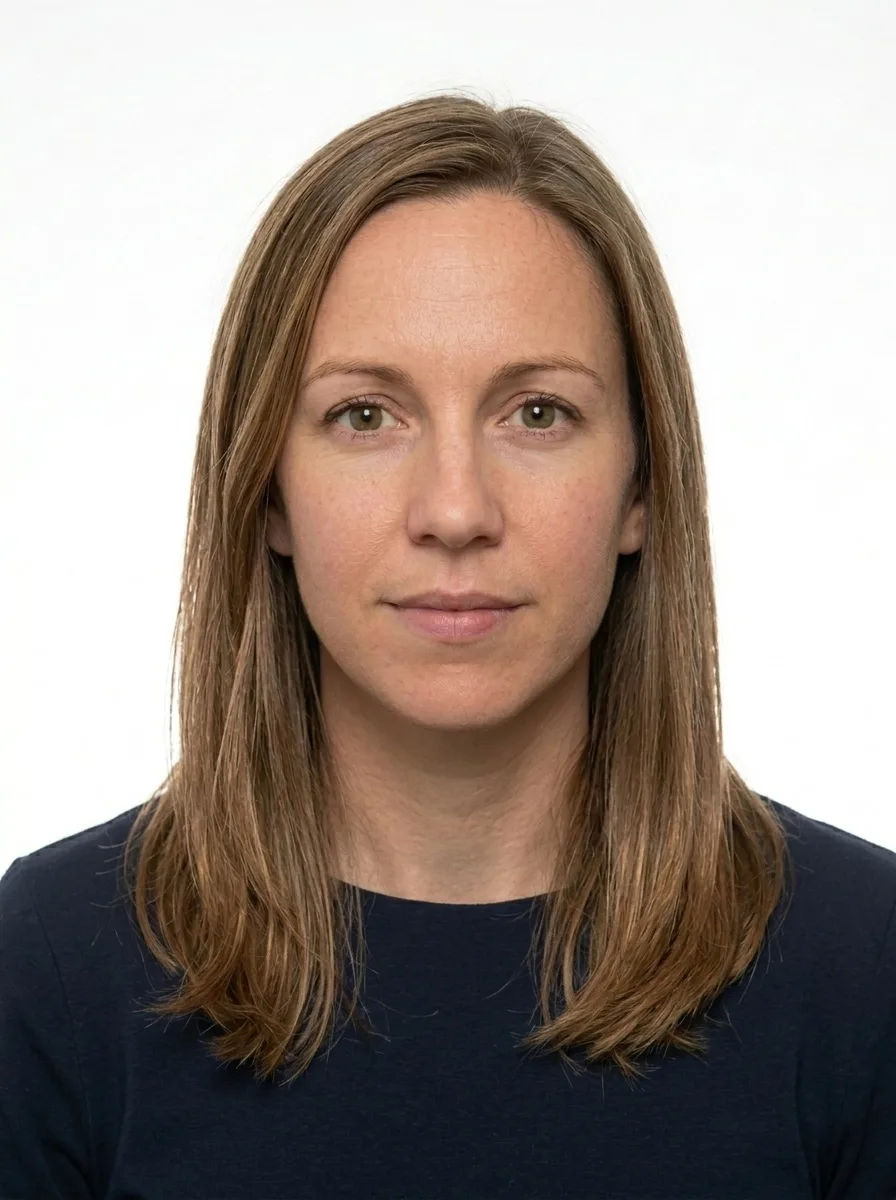
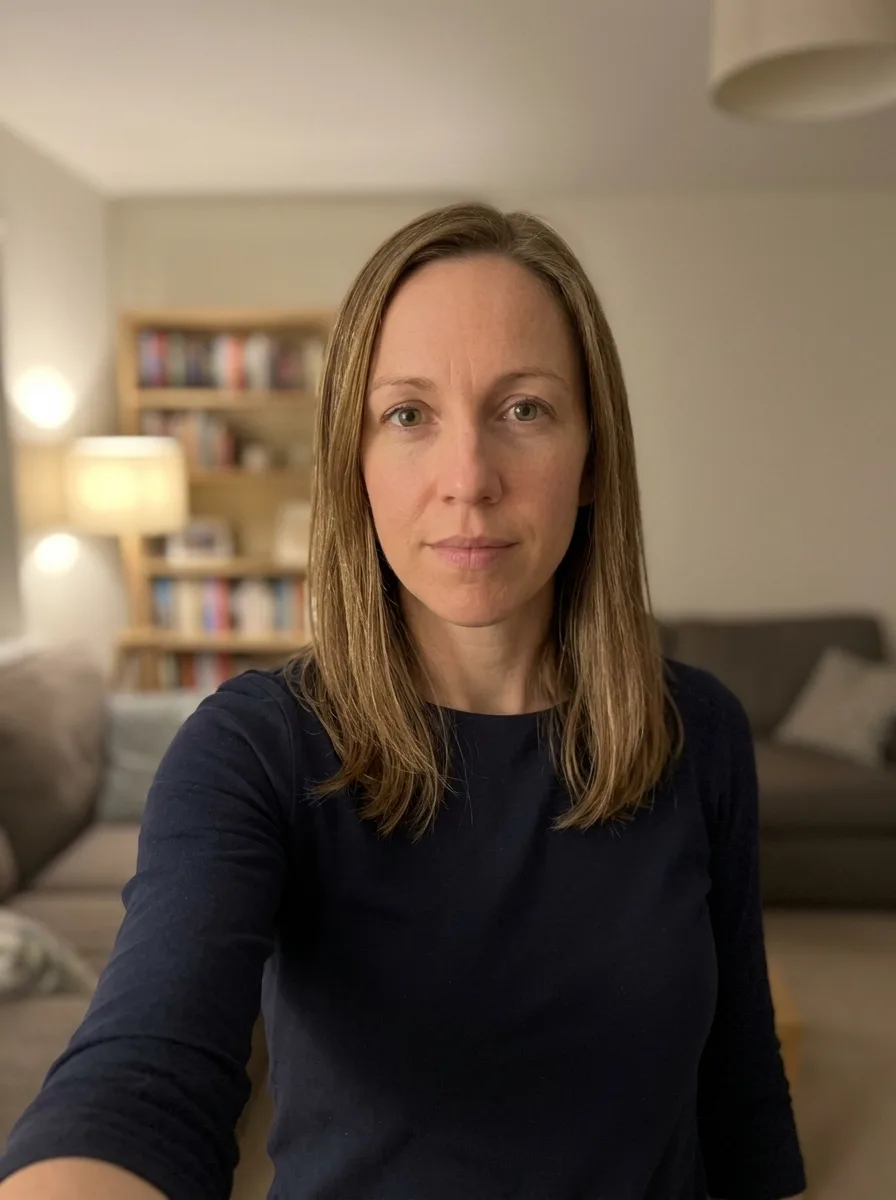
Where to take the photo from?
Processing your photo...
Loading the image…
Done! Review and pay
This is a watermarked preview. After payment we send the clean file, ready to submit.
Check against document requirements
| Delivery | File by email right after payment |
|---|---|
| Included | Photo + self-print sheet — free |
| Guarantee | Rejected? Refund or free redo |
| Standard | Meets ICAO 9309 |
| Payment | Secure (SSL) · Visa · Mastercard |
| Privacy | GDPR · photos deleted automatically |
A better photo is needed
- Good even lighting, no shadows
- Face straight, neutral expression, mouth closed
- Plain light background
- Camera at eye level, not too close
A ready photo in three steps
Upload a photo
Camera or gallery.
We prepare it
White background, the exact size and resolution for your document.
Download and submit
Pay and get the ready file by email — for 9,99 €. Free re-edits until your document is accepted.

About this photo format
The 1×1 inch photo is one of the most compact square portrait formats in regular use. Measuring exactly 25×25 mm, it pairs a small footprint with strict portrait standards, which is why it appears on a wide range of identity documents, membership cards, application forms and local registration paperwork in many countries.
Because the frame is square and tightly cropped, every millimetre matters. A photo that looks fine on a phone screen can still be rejected when the head is a few percent too large or the background is not perfectly even. Our service prepares your image to meet the published numbers precisely so it passes review the first time.
Where this size is used
A 1×1 inch square portrait is a generic, widely accepted format. It is commonly requested for ID cards, school and work badges, club or association memberships, exam admission forms, and various administrative applications. Because the same 25×25 mm dimensions are reused across many institutions, a single correctly prepared file usually works for several different submissions.
If an office asks for a "1 inch by 1 inch" or "one-inch square" photo, this is the format they mean. Always confirm any extra wording on the request, but the underlying picture requirements are consistent.
Exact specification
The photo must be printed and rendered at 25×25 mm at 300 dpi, which keeps fine detail such as hairlines and skin texture crisp. The head should measure about 18.75 mm from chin to crown, occupying roughly 55–72% of the frame height, centred and facing the camera squarely.
- Size: 25×25 mm (1×1 inch), square
- Resolution: 300 dpi
- Head height: about 18.75 mm (55–72% of the frame)
- Background: plain white (#FFFFFF), smooth and shadow-free
- Expression: neutral, mouth closed, no smile
- Glasses: not allowed
- Headwear: only for religious reasons, and the full face must stay visible
- File: JPG, no larger than 2 MB
Common reasons photos get rejected
Most failures come from a handful of avoidable issues. The head is sized incorrectly, so it sits outside the 55–72% band. The background carries a faint grey gradient or a soft shadow near the shoulders. The subject is smiling or showing teeth, when a neutral expression is required. Glasses are still on, even though they are not permitted for this format. Reflections, heavy retouching that removes natural features, or a tilted head can also lead to a rejection.
We check each of these points during preparation, levelling the background to clean white, confirming the head proportions, and keeping the expression neutral.
How we prepare your photo
You upload a clear, well-lit picture taken straight on. Our service crops to the exact 25×25 mm square, scales the head to the correct height, replaces the background with even white, and balances brightness so your face is rendered naturally without artificial smoothing. The final file is saved as a JPG under 2 MB and at 300 dpi, ready to submit.
Printing and digital use
The same prepared file works for both on-screen uploads and physical printing. At 300 dpi the 25×25 mm square stays sharp on photo paper, and you can place several copies on a single print sheet to save space. For digital portals, the under-2-MB JPG uploads quickly and meets typical file-size limits without further compression.
Lighting and clothing tips
For a clean square portrait, face a soft, frontal light source such as light from a large window, and avoid harsh overhead lighting that casts shadows under the eyes and nose. Wear clothing that contrasts gently with the white background; very light or white tops can blend into the backdrop and blur the edge of your shoulders. Keep hair away from the eyes and eyebrows, and remove anything that obscures the outline of your face. These small adjustments make the 25×25 mm crop look natural and help the head sit cleanly within the 55–72% band.
Why exact proportions matter
In a frame this small, a difference of one or two millimetres in head height is visible and can push the photo outside the accepted range. That is why we work from the measured chin-to-crown distance rather than guessing by eye. Getting the proportion right the first time saves you from resubmitting and waiting again, which is the main advantage of preparing the file to precise figures.
How we make sure your photo is accepted
Every photo is prepared against the official requirements for your document — not a generic template. Here is what that means in practice:
- 1We crop and size your photo to the exact millimetre and pixel dimensions the authority requires.
- 2We check the background, head position, gaze and lighting, and flag glasses or head coverings that are not allowed.
- 3We match the rules to the specific document and country, against the exact format requirements.
- 4If anything does not meet the standard, you get a free re-do or your money back.
See exactly what a compliant photo looks like
Tap any requirement to see what it means on a real photo.
- Size
- 25 × 25 mm · 300 × 300 px
- Background
- White plain
- Head in frame
- 55–72%
- Glasses
- Not allowed
- Facial expression
- Neutral, mouth closed
- Headwear
- Only for religious reasons
- File
- JPG · ≤ 2 MB
Print size is 25 × 25 mm and the digital file is 300 × 300 px.
Requirements verified: 09.2026
A digital photo is normal — and it gets accepted
You do not need a trip to a studio. Authorities accept any photo that meets the official requirements — what matters is the standard, not where the photo was made. We match that standard exactly.
The standard is what counts
Officials check your photo against the rules — size, background, head position and lighting — not where you took it.
Part of official processes
Many passport, visa and ID services let you upload a digital photo or submit a print — both are fine when they meet the spec.
Same result as a studio
We prepare your file to the exact official measurements, so it is accepted just like a professional studio photo.
And you are covered
If a photo is ever rejected for not meeting the requirements, we redo it for free or refund you.
Three ways to get a document photo
A professional online service, a local photo studio, or editing it yourself — here is how they compare.
| What matters | PhotoID24 | Photo studio | Editing it yourself |
|---|---|---|---|
| Meets the official standard | Yes | Yes | No |
| Tuned to this exact document | Yes | Depends | No |
| Free re-do if something is off | Yes | No | Depends |
| Done from home, no trip | Yes | No | Yes |
| Ready in minutes | Yes | Depends | Depends |
| Clear, affordable price | Yes | No | Yes |
One honest price
No extra plans. Pay only if the result works for you — preview is free.
- Exact size and background for your document standard
- High resolution — for online submission and printing
- Free re-edits until your document is accepted
- Link by email, securely stored for 7 days
Money back if the photo is rejected
A print-ready sheet is included — print it yourself at any photo kiosk or online service (Walmart, CVS, CEWE, Boots, Rossmann, etc.). Listed services are not affiliated with us. Want ready prints delivered? Add them at checkout. Where to print a document photo →
- Meets ICAO 9309
- SSL-secured payment
- GDPR · photo auto-deleted
- Refund if photo rejected
- Visa · Mastercard
Rejected — we refund you
We are confident in the result. If the photo is still rejected — send us a screenshot and we will refund your payment within 48 hours. No arguments.
- Refund within 48 hours
- Only a screenshot of the rejection is needed
- Money back to your card
What those who already got their photo say
Real stories from people who submitted documents with a photo from our service.
Took a selfie on my phone and a minute later had a proper passport photo. Accepted with no problems.
I was worried about the size and background, but it came out exactly right. Saved me a trip to the studio.
Simple and fast. The free preview let me check everything before paying.
Did it at home in the evening. Looked professional, no issues at the office.
Honestly easier than I expected. Uploaded a photo, downloaded the correct one. Done.
Great for the kids — no need to drag them to a studio. The background came out clean and even.
FAQ
What is the 1×1 inch (25×25 mm) photo size in pixels?
What background should a 1×1 inch (25×25 mm) photo have?
Can I use a phone selfie?
Get your document photo right now
Upload an ordinary photo — in a minute get a file ready for submission. Preview is free.
Get my photo
Drag the slider to compare