400×600 px Photo
A 400×600 px photo from your selfie, sized exactly for online upload — clean background, correct head position, preview free before you pay.
- Meets ICAO 9309
- SSL-secured payment
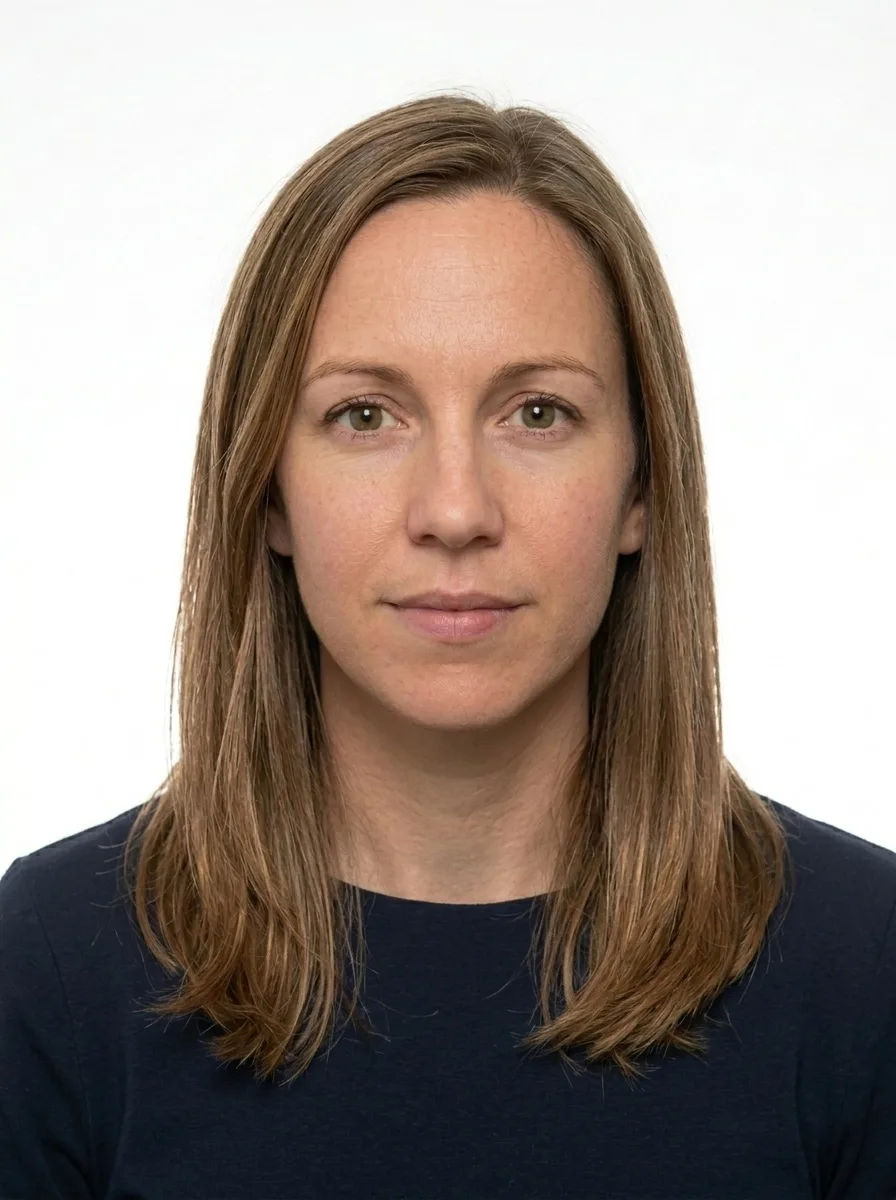
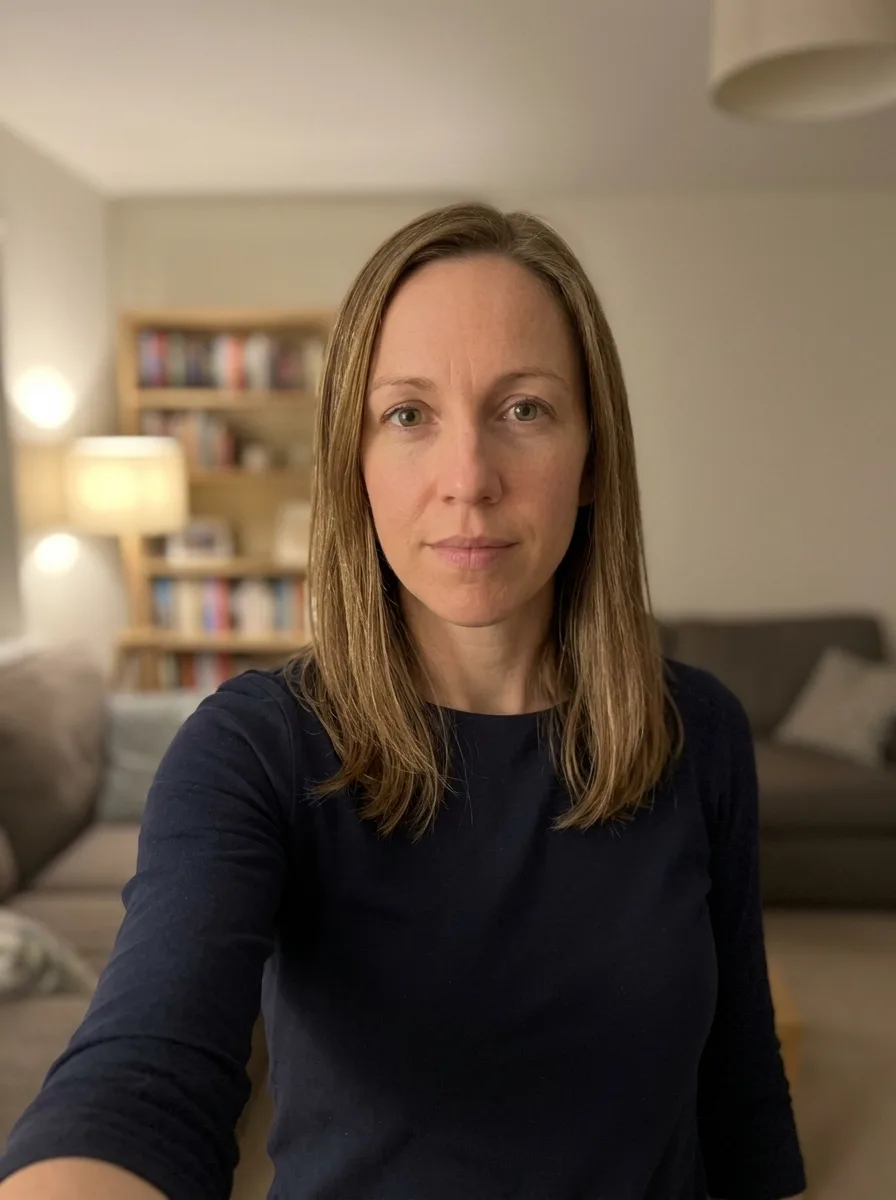
Where to take the photo from?
Processing your photo...
Loading the image…
Done! Review and pay
This is a watermarked preview. After payment we send the clean file, ready to submit.
Check against document requirements
| Delivery | File by email right after payment |
|---|---|
| Included | Photo + self-print sheet — free |
| Guarantee | Rejected? Refund or free redo |
| Standard | Meets ICAO 9309 |
| Payment | Secure (SSL) · Visa · Mastercard |
| Privacy | GDPR · photos deleted automatically |
A better photo is needed
- Good even lighting, no shadows
- Face straight, neutral expression, mouth closed
- Plain light background
- Camera at eye level, not too close
A ready photo in three steps
Upload a photo
Camera or gallery.
We prepare it
White background, the exact size and resolution for your document.
Download and submit
Pay and get the ready file by email — for 9,99 €. Free re-edits until your document is accepted.

About this photo format
The 400x600 pixel photo is a portrait-oriented, pixel-defined format used by online systems that need a slightly taller image than the small square or compact sizes. At 300 dpi the file measures 33.87 by 50.8 millimetres, which is about 1.33 by 2.0 inches. The defining requirement is the pixel count: the finished image must be exactly 400 pixels wide and 600 pixels tall, with the face scaled correctly within that taller frame.
Below we set out the full specification, explain how the head and eye line should sit, and describe how our service turns an ordinary photo into a compliant 400x600 file so you do not have to measure pixels or fight with a wall yourself. Getting it right the first time saves a frustrating cycle of re-uploads, and the steps are simpler than they look once the rules are clear.
What this photo is for
This size is typically requested by digital application forms, verification portals and electronic records that store a portrait in a 2:3 ratio. The taller shape gives a little more room above the head and below the shoulders, which some systems prefer for clarity. As with most pixel-based formats, an automated checker usually inspects the upload, so the dimensions, file type and head position all have to be right before the system accepts it.
Exact specification
Build the portrait to these measurements. The head height should be approximately 38 millimetres, equal to roughly 55 to 75 percent of the image height, measured from the chin to the crown of the head. The background must be a plain, even white field with no shadow or texture. Keep a neutral expression, mouth closed, with both eyes open and directed at the lens.
- Output size: exactly 400 x 600 pixels at 300 dpi (33.87 x 50.8 mm, about 1.33 x 2.0 in)
- Head height: around 38 mm, roughly 55-75 percent of the frame
- Background: solid white, evenly lit, free of shadows
- Expression: neutral, no smile, eyes open
- Glasses: allowed if the eyes stay visible with no glare
- Headwear: not permitted
- File: JPG up to 2 MB
Glasses, head covering and expression
Everyday prescription glasses are acceptable in the 400x600 format. The lenses must be clear, free of reflections, and must not obscure the eyes; thick frames that sit over the eyes are a frequent cause of rejection. If your glasses reflect the light, lower the light source or tip your chin a fraction to clear the glare. Sunglasses and tinted lenses are not allowed. Hats and other head coverings are not permitted in this format, so the hairline and the top of the head should be plainly visible against the white background.
Common rejection reasons
The most frequent problems are simple to describe. The uploaded file is not exactly 400 by 600 pixels, so the portal resizes it badly or refuses it. The head is positioned too high and the crown is cut off, or too low so the eye line falls into the bottom half of the frame. The background photographs grey, blue or uneven because it was shot against a painted wall. A shadow appears behind one shoulder. The subject is smiling, squinting or wearing glasses that catch the light. Knowing these in advance makes them easy to prevent.
How we prepare your photo
You do not need studio equipment to meet this standard. Upload a clear, front-facing portrait and our service does the rest. We separate the subject from whatever was behind them and lay in a uniform white background, then resize and align the face so the head height and eyes fall inside the 55-75 percent band the format expects. The image is exported as a 400 by 600 pixel JPG at 300 dpi and compressed to stay under the 2 MB ceiling while keeping skin tones natural and edges crisp. The file you receive already satisfies the dimensional rules.
Print and digital
The 400x600 format is primarily a digital deliverable, designed to be uploaded directly to the system that requested it. Because the file is built at a genuine 300 dpi it also prints cleanly if you ever need a hard copy at its native size. Most people simply keep the JPG and reuse it whenever a service asks for a 400x600 portrait, since one correctly produced file will pass the same automated check every time.
How we make sure your photo is accepted
Every photo is prepared against the official requirements for your document — not a generic template. Here is what that means in practice:
- 1We crop and size your photo to the exact millimetre and pixel dimensions the authority requires.
- 2We check the background, head position, gaze and lighting, and flag glasses or head coverings that are not allowed.
- 3We match the rules to the specific document and country, against the exact format requirements.
- 4If anything does not meet the standard, you get a free re-do or your money back.
See exactly what a compliant photo looks like
Tap any requirement to see what it means on a real photo.
- Size
- 34 × 51 mm · 400 × 600 px
- Background
- White plain
- Head in frame
- 55–75%
- Glasses
- Allowed
- Facial expression
- Neutral, mouth closed
- Headwear
- Not allowed
- File
- JPG · ≤ 2 MB
Print size is 34 × 51 mm and the digital file is 400 × 600 px.
Requirements verified: 09.2026
A digital photo is normal — and it gets accepted
You do not need a trip to a studio. Authorities accept any photo that meets the official requirements — what matters is the standard, not where the photo was made. We match that standard exactly.
The standard is what counts
Officials check your photo against the rules — size, background, head position and lighting — not where you took it.
Part of official processes
Many passport, visa and ID services let you upload a digital photo or submit a print — both are fine when they meet the spec.
Same result as a studio
We prepare your file to the exact official measurements, so it is accepted just like a professional studio photo.
And you are covered
If a photo is ever rejected for not meeting the requirements, we redo it for free or refund you.
Three ways to get a document photo
A professional online service, a local photo studio, or editing it yourself — here is how they compare.
| What matters | PhotoID24 | Photo studio | Editing it yourself |
|---|---|---|---|
| Meets the official standard | Yes | Yes | No |
| Tuned to this exact document | Yes | Depends | No |
| Free re-do if something is off | Yes | No | Depends |
| Done from home, no trip | Yes | No | Yes |
| Ready in minutes | Yes | Depends | Depends |
| Clear, affordable price | Yes | No | Yes |
One honest price
No extra plans. Pay only if the result works for you — preview is free.
- Exact size and background for your document standard
- High resolution — for online submission and printing
- Free re-edits until your document is accepted
- Link by email, securely stored for 7 days
Money back if the photo is rejected
A print-ready sheet is included — print it yourself at any photo kiosk or online service (Walmart, CVS, CEWE, Boots, Rossmann, etc.). Listed services are not affiliated with us. Want ready prints delivered? Add them at checkout. Where to print a document photo →
- Meets ICAO 9309
- SSL-secured payment
- GDPR · photo auto-deleted
- Refund if photo rejected
- Visa · Mastercard
Rejected — we refund you
We are confident in the result. If the photo is still rejected — send us a screenshot and we will refund your payment within 48 hours. No arguments.
- Refund within 48 hours
- Only a screenshot of the rejection is needed
- Money back to your card
What those who already got their photo say
Real stories from people who submitted documents with a photo from our service.
Took a selfie on my phone and a minute later had a proper passport photo. Accepted with no problems.
I was worried about the size and background, but it came out exactly right. Saved me a trip to the studio.
Simple and fast. The free preview let me check everything before paying.
Did it at home in the evening. Looked professional, no issues at the office.
Honestly easier than I expected. Uploaded a photo, downloaded the correct one. Done.
Great for the kids — no need to drag them to a studio. The background came out clean and even.
FAQ
What is a 400×600 px photo for?
Can I make it from a selfie?
What background should it have?
Get your document photo right now
Upload an ordinary photo — in a minute get a file ready for submission. Preview is free.
Get my photo
Drag the slider to compare